
Find a structure with topology optimisation
Start from a block of material, supported and loaded, and let Alpaca4d keep only the material the loads need: the stiffest structure for the share of the volume you allow.
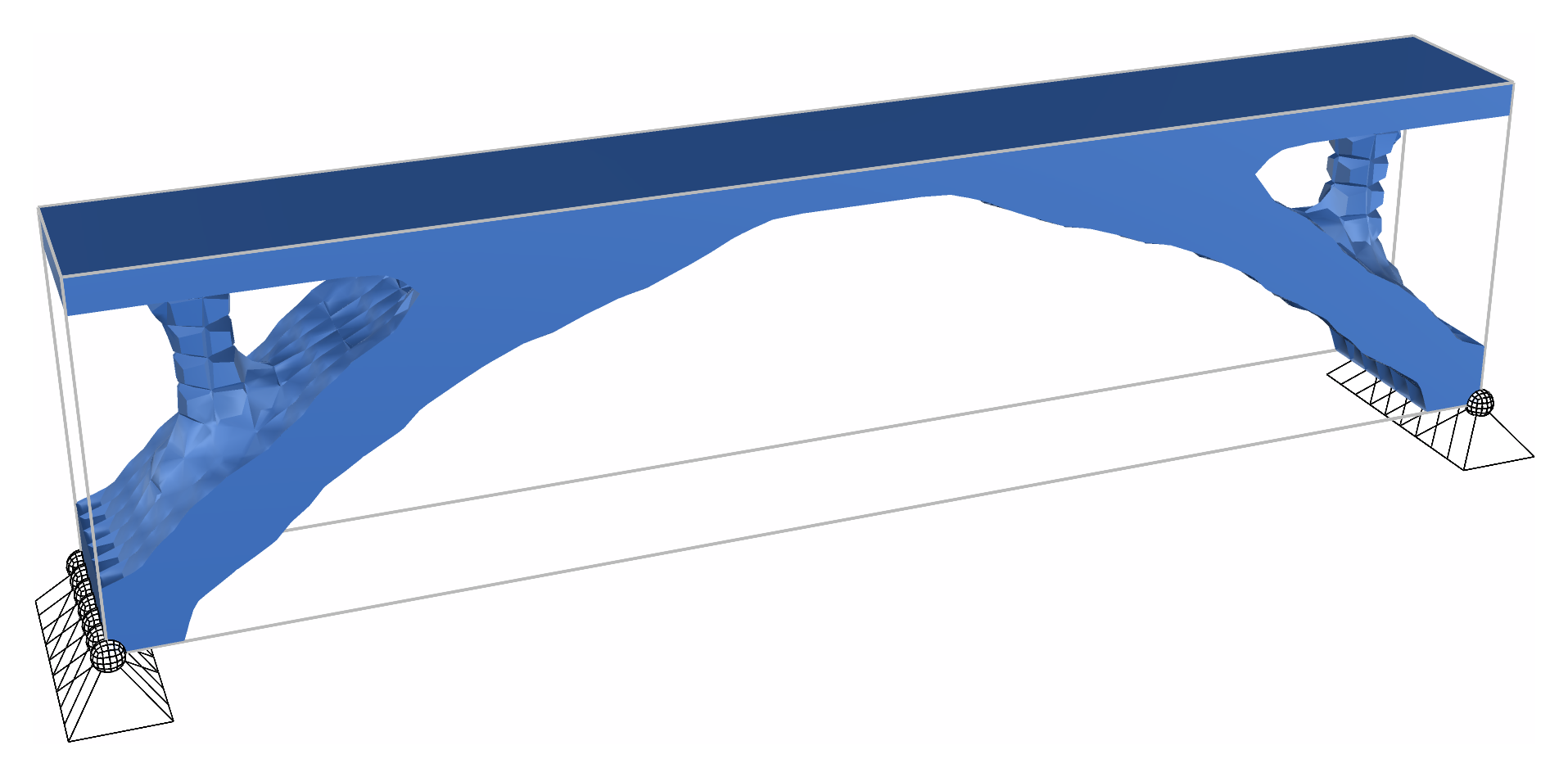
You need
- The design domain as solids: SSP Bricks, which Mesh Series to Brick makes from a series of meshes, or Ten Node Tetrahedra. See Turn geometry into solid elements.
- An Elastic Isotropic material on every solid: its modulus is what is scaled.
- Supports and loads, as for an analysis, and the model assembled.
Steps
- Give an ElementId to anything that must stay solid: a deck, a slab, the material round a support or a load.
- Place a Topology Optimisation and wire the assembled model into AlpacaModel; name what must stay in Keep.
- Set VolumeFraction, the share of the volume to keep:
0.3by default. The solids in Keep come on top. - Set Run to
true. The run goes on its own thread, so Rhino stays free, and Surface follows it about once a second. - When it stops, wire AlpacaModel, the design as a model of its own, into Run Analysis, and read it as any analysed model.
Check
- Converged is
true: the run ended because the densities stopped moving. If it stopped at Iterations, raise them, and it goes on from where it stopped. - Compliance, the work of the loads, falls as the run goes on: the lower, the stiffer.
- Step, with a slider, shows the design of every iteration, to watch the run again.
Good to know
- Set Run to
falseto pause;truegoes on from there. Changing the model, Keep, VolumeFraction or a setting starts again from the beginning. - FilterRadius, in the settings, is about the thinnest member the result can have.
- Beams, trusses, shells and links in the model are analysed with the solids but take no part, and the component warns that they are there.
- BESO Topology carves the block down, every element solid or void; Multi-Material Topology finds where each of several materials goes.
See also
- Topology Optimisation — every input, how long a run takes, and the three methods side by side
- Topology Bridge — a bridge found in a block of bricks
- Topology Benchmarks — checked against top3d