
Generic Section
A section defined by its stiffness properties directly, with no geometry behind them. Use it when the properties come from somewhere else: a homogenised deck, a section computed in another tool, a value taken from a catalogue table.
🔧 Grasshopper component
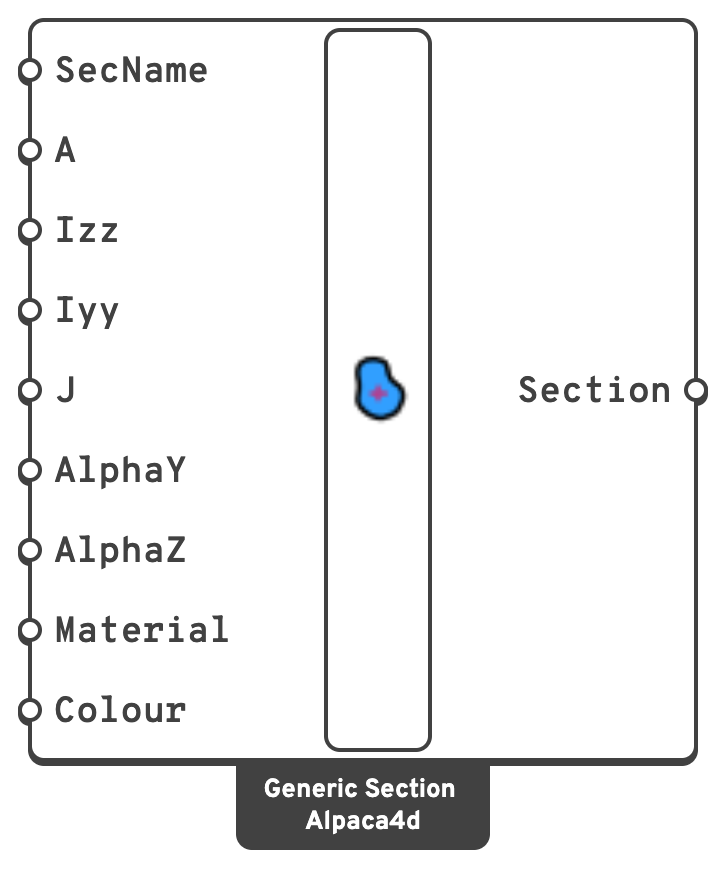
Generic SectionAlpaca4d ▸ 01_Section
Inputs
SecNameSectionNameLabel for the section.
AAreaCross-sectional area, in
m².IzzSecond moment of area about the local z axis, in
m⁴.IyySecond moment of area about the local y axis, in
m⁴.JTorsion constant, in
m⁴.AlphaYShear area factor along the local y axis: the fraction of the area that carries shear. 5/6 for a rectangle. 0 makes the section rigid in shear, which ignores shear deformation.
AlphaZShear area factor along the local z axis, as AlphaY.
MaterialA Uniaxial material, supplying
E, G and the density used for element mass.ColourThe colour the section is drawn in when Model View colours the elements by section.
Left empty, Model View gives each section a colour of its own. Display only: the analysis never reads it.
Outputs
SectionBeam section, for a ForceBeamColumn.
📈 When to use it
Use it when
- The properties were computed elsewhere and you want them used verbatim.
- You are homogenising something — a ribbed deck, a built-up member, a stiffened panel reduced to an equivalent beam.
- You want to run a sensitivity study on
Izzalone, without re-deriving a geometry.
Do not use it when
- A parametric section describes the member → use it, and the extruded preview in Model View will show you the real shape.
Warning
The area you give also sets the element mass, as A × ρ. If you enter a reduced or effective area, the mass goes with it — which matters for Natural Vibration and any dynamic run.
🔗 Relation to OpenSees
tcl
section Elastic $secTag $E $A $Izz $Iyy $G $J $alphaY $alphaZEvery input maps straight through.