
Shell Forces
The stress resultants on every shell element: membrane forces, bending moments and transverse shears, all per unit width.
🔧 Grasshopper component
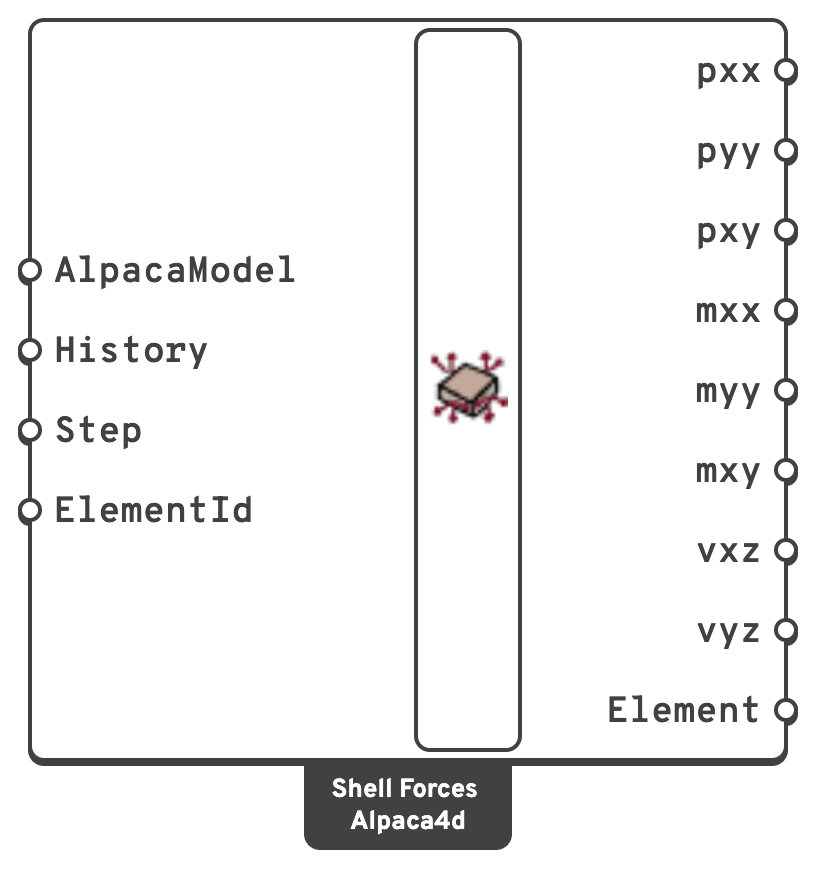
HistoryRead every recorded step instead of one.
{step; element}. Step is ignored.ElementIdRead only some of the shells: an ElementId, a wildcard over them, a tag, or a regular expression.
One branch per shell element, values at the element's integration points.
kN/m.kN/m.kN/m.kN·m/m.kN·m/m.kN·m/m.kN/m.kN/m.ElementThe shells read, in the order of the branches.
📈 When to use it
Use it when
- You are designing slab or wall reinforcement —
mxx,myyandmxyare what go into a Wood–Armer calculation. - You need membrane forces in a shear wall or a tank.
Do not use it when
- You want a contour → Model View, with Shell forces ticked.
- You want the principal directions → Principal Stress Lines traces them as curves.
- You want the forces through a line across the shells, or their totals → Shell Section.
Warning
These are local-axis results, and the local axes are per face unless you set them. Two adjacent faces of the same slab can report mxx about different directions, which makes the numbers meaningless to compare or to contour.
Set Local X Axis on the ASD Shell component for any model whose shell results you intend to read.
💡 Sign convention
All quantities are per unit width. Local x, y and z are axes 1, 2 and 3 of Local Axes in Model View — red, green and blue. Positive membrane force is tension. A positive mxx or myy puts the face on the positive local z side — the side the blue arrow points to — in tension: the Top layer of Shell Stresses. On a cantilever slab whose mesh faces up, mxx is positive over the support.
Which side is +z follows the order of the mesh's vertices, not the world: a mesh whose faces point down has its Top layer underneath.