
💾 Assemble
Assemble is the hinge of the whole workflow. It takes the loose pieces — elements, supports, load patterns, constraints — works out which of them share nodes, numbers everything, and produces the single AlpacaModel object that every downstream component reads.
Nothing before Assemble knows about anything else. A beam does not know which other beam it meets; a point load does not know which node it lands on. All of that is resolved here, and resolved geometrically.
🔧 Grasshopper component
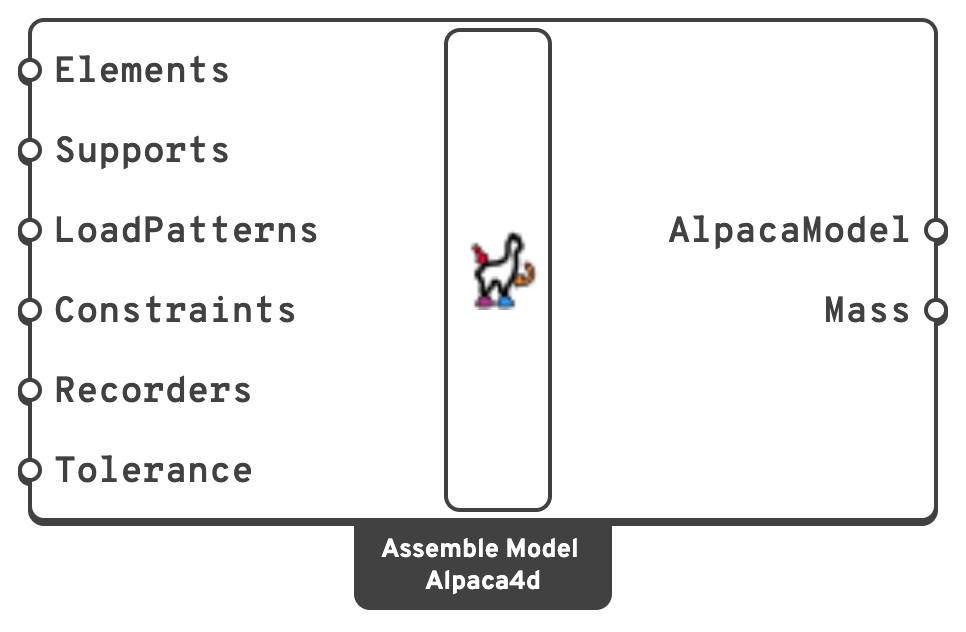
LoadPatternsLoad patterns and mass points; the two may be mixed freely on this input.
RecordersFrom the MPCO Recorder: which results Run Analysis writes.
m.MassTotal mass of the structure, in kg.
area × ρ × length and so on; a Mass Point contributes only the Z component of its TransMass.📈 When to use it
Use it when you have finished building elements, supports and loads. Every model passes through Assemble exactly once; there is no other route to an AlpacaModel.
Do not use it when the model already exists as an OpenSees deck → Deserialise assembles one directly from a .tcl file.
💡 Tolerance is the setting that matters
Every element endpoint, shell vertex and solid corner is collected, and any two within Tolerance of each other become one node. Two members are connected when, and only when, their geometry meets within that distance.
The same search attaches point loads, mass points, supports and the nodes named by a constraint.
| Symptom | Likely cause |
|---|---|
| A member carries no load, or the structure is a mechanism | Tolerance too small — the members never met, and the model has more nodes than you think. |
| Assembly throws "… is not part of the model" | A load or support has no node within tolerance. |
| Distinct nodes have silently merged; a short member has vanished | Tolerance too large. |
Check the node count in Model View with Node IDs turned on before trusting any result.
💡 Two supports on one node
Two supports can land on the same node: the same point given twice, or two points within Tolerance of each other. Assemble makes them one support that holds every direction any of them holds. OpenSees would do the same, after a warning in the log for each direction fixed a second time. With one support, the node also gets one row in Reaction Forces, not one per support, so the rows add up to the load.
Assemble shows a remark when it does this. If the supports held different directions, the remark also says which directions the node is held in. Stacking supports on purpose, such as one for Tx and another for Tz, gives the same result as a single support holding both.
Skewed supports and spring supports are never merged. Each one acts on its own, and side by side they share the load.
💡 Degrees of freedom
A node gets 6 DOF if any beam or shell touches it, and 3 DOF if only solids do. This is why:
- A brick sharing a node with a beam transfers force but no moment.
- Moments on a point load and the rotational terms of a mass point are dropped at a 3 DOF node.
💡 What happens next
Assemble ──► Model View            (check it)
         ├──► Run Analysis          (static or transient)
         ├──► Natural Vibration     (modes and periods)
         └──► Serialize             (write the .tcl and read it yourself)
The model that comes back out of an analysis component is the same model with results attached — which is why the Results components take an AlpacaModel rather than a separate result object.