
Run Analysis
Writes the model out as an OpenSees .tcl deck, launches the solver, and hands back the model with the results attached.
🔧 Grasshopper component
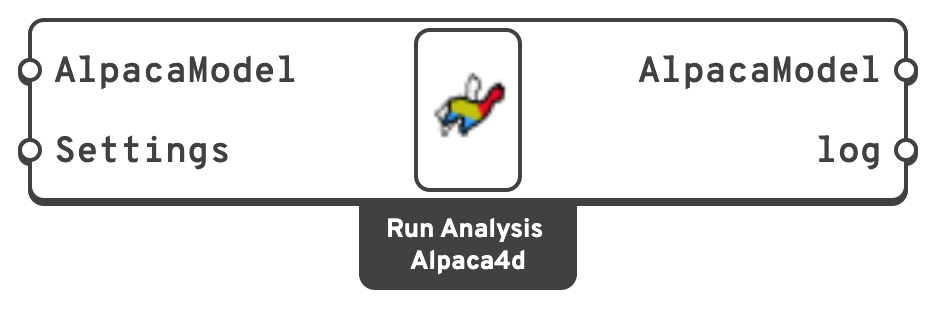
AlpacaModelThe same model, now carrying results.
logEverything OpenSees printed — the console output and any error stream.
Note
The log used to be the first output. Definitions made before the model was put first open with the previous Run Analysis component, which still works. Grasshopper's Solution ▸ Upgrade Components swaps it for the current one and keeps every wire — each output's wires follow it by name, and the Do not use settings choice is kept.
💡 Where the files go
The deck and the results go into a folder called AlpacaResults, next to the Grasshopper file, a set of files for each run:
| File | Contents |
|---|---|
AlpacaModel_<id>_<run>.tcl | The input deck. |
recorder_<id>_<run>.mpco | The MPCO result database. |
<id> is the first 8 characters of the component's InstanceGuid, so two Run Analysis components in one document keep their results apart; <run> counts from 0, as a component given a tree of models solves once per branch. The names stay the same from one solution to the next, so the files are overwritten rather than piling up.
A FileName that an MPCO Recorder gives is taken from the Grasshopper file's folder instead, with _<run> before its extension when the component solves more than once.
If the Grasshopper document has never been saved, the folder is Alpaca4d/AlpacaResults in the system's temporary folder. Save the file first — it makes the output findable, and it is required by Natural Vibration.
The recorder that is attached depends on the analysis type: a static recorder for Static, a transient one for Transient. An MPCO Recorder on the Recorders input of Assemble replaces it with the results you tick.
💡 Errors and how they surface
| What you see | What happened |
|---|---|
| "OpenSees executable path is not configured" | Set it — Alpaca4d ▸ Settings ▸ Set OpenSees Executable…. See Setup. |
| "Analysis Failed: OpenSees exited with an error" | The deck itself failed — a bad command, an undefined material. The log names the line. |
| "This OpenSees does not know the Ten Node Tetrahedron" | The model has Ten Node Tetrahedra and the OpenSees is 3.8.0 or older, whose element is six times too soft. Use an OpenSees built from master since 16 October 2026. |
| "Analysis Failed: OpenSees 'analyze' did not converge" | The deck was valid but the solution did not converge. Loosen the Test tolerance, raise its iteration count, take smaller steps in Analysis Step, or change the algorithm. |
| "Warning! Double check the log!" | OpenSees printed a warning and carried on. The results exist but deserve a look. |
On any failure the AlpacaModel output is null, so the downstream result components go quiet rather than showing stale numbers.
📈 When to use it
Use it when you want a static or transient solution.
Do not use it when you want modes and periods → Natural Vibration sets up its own eigenvalue run and needs no settings.
🔗 Relation to OpenSees
The component assembles and runs a complete deck: the model, then the recorder, then the analysis block from Analysis Settings, then wipe. To see exactly what was sent, use Serialize, or open the AlpacaModel_<id>_<run>.tcl it leaves in AlpacaResults.