
Beam With Hinges
A beam with hinges is a frame element whose inelastic behaviour is confined to two hinge zones at the ends. The interior stays linear elastic, and HingeRadau integration puts the end integration points inside the hinge lengths.
Alpaca4d builds the hinge by taking the element's own section and scaling the stiffness of each released degree of freedom by 10⁻⁶ — so a release is a very soft hinge section, not a true free end.
🔧 Grasshopper component
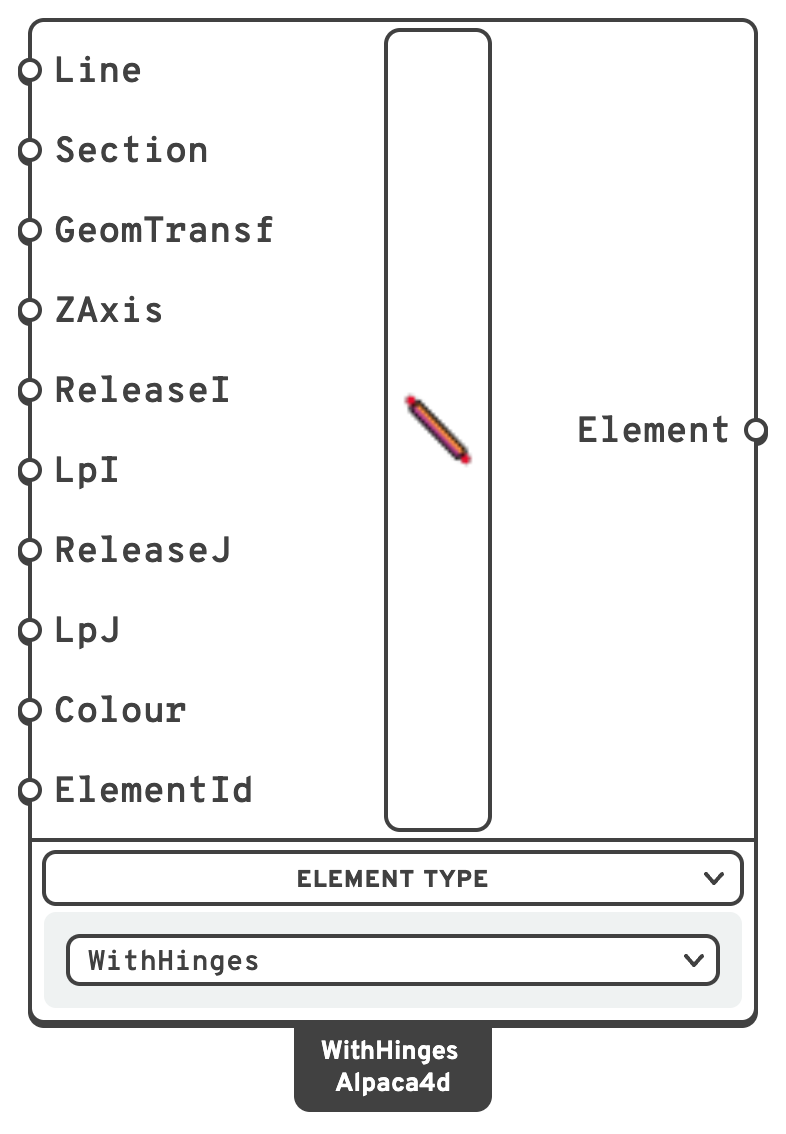
m.GeomTransfGeometricTransformationGeometric transformation.
ZAxis.ZAxisLocal z axis of the element.
Vy, Mz). A vertical member gets local y along global X.ElementIdOptional name for the element, used to pull its results out later.
Warning
LpI and LpJ are ratios, not lengths. 0.05 means 5 % of the chord length L, whatever units the model is drawn in. Empty or non-positive values fall back to 0.05; anything else is clamped to [0.02, 0.10].
The clamp is not cosmetic. HingeRadau gives the two interior points a weight of 0.5 - 2(lpI + lpJ)/L, so lpI + lpJ has to stay below L/4; capping each end at 0.10 keeps that weight at 0.30 or above. And below 0.02 the 10⁻⁶ softening no longer reads as a release, because the released flexibility scales with lp/L.
There is no separate component. Right-click the ForceBeamColumn component and set the Element Type menu to WithHinges.
📈 When to use it
Use it when
- Inelastic deformation is expected at known locations — the ends of beams and columns in a moment frame under seismic or pushover loading.
- You need to release specific DOFs at a member end (a pinned connection, a moment release) while keeping the rest of the member elastic.
- You want something lighter than a fibre model along the whole member.
Do not use it when
- Yielding may develop anywhere along the span → use a plain ForceBeamColumn.
- You need moment or curvature resolved inside the elastic interior.
- The plastic hinge length is uncertain — results are sensitive to it.
🔗 Relation to OpenSees
A forceBeamColumn with an inline HingeRadau specification:
element forceBeamColumn $eleTag $iNode $jNode $transfTag \
HingeRadau $secTagI $lpI $secTagJ $lpJ $secTagC -mass $massDens$secTagI/$secTagJ— auto-generated elastic sections for the hinge zones. Released DOFs have their stiffness scaled by 10⁻⁶.$lpI/$lpJ— the absolute hinge lengths, computed asratio × Lfrom the LpI/LpJ inputs.$secTagC— the interior elastic section, i.e. the Section input.$massDens— mass per unit length, from the section area times the material density.
The mapping from the release booleans to the softened section property is:
| Release input | Section property scaled |
|---|---|
Tx | Area |
Ty | AlphaY |
Tz | AlphaZ |
Rx | J |
Ry | Iyy |
Rz | Izz |