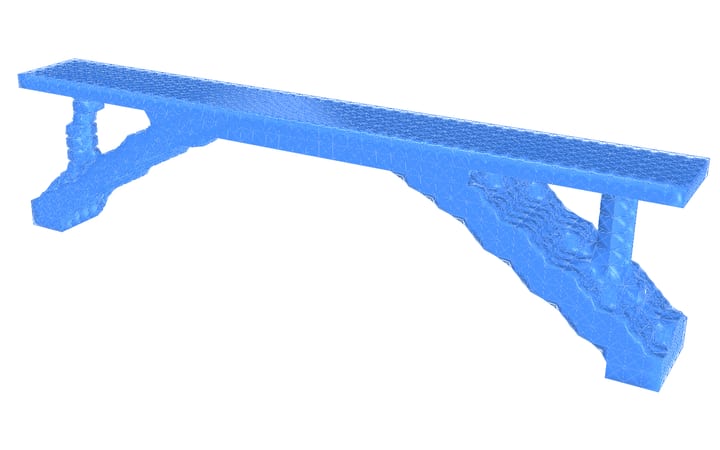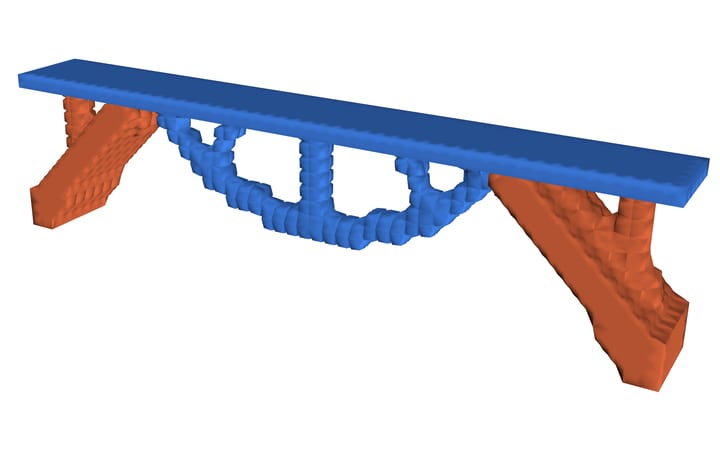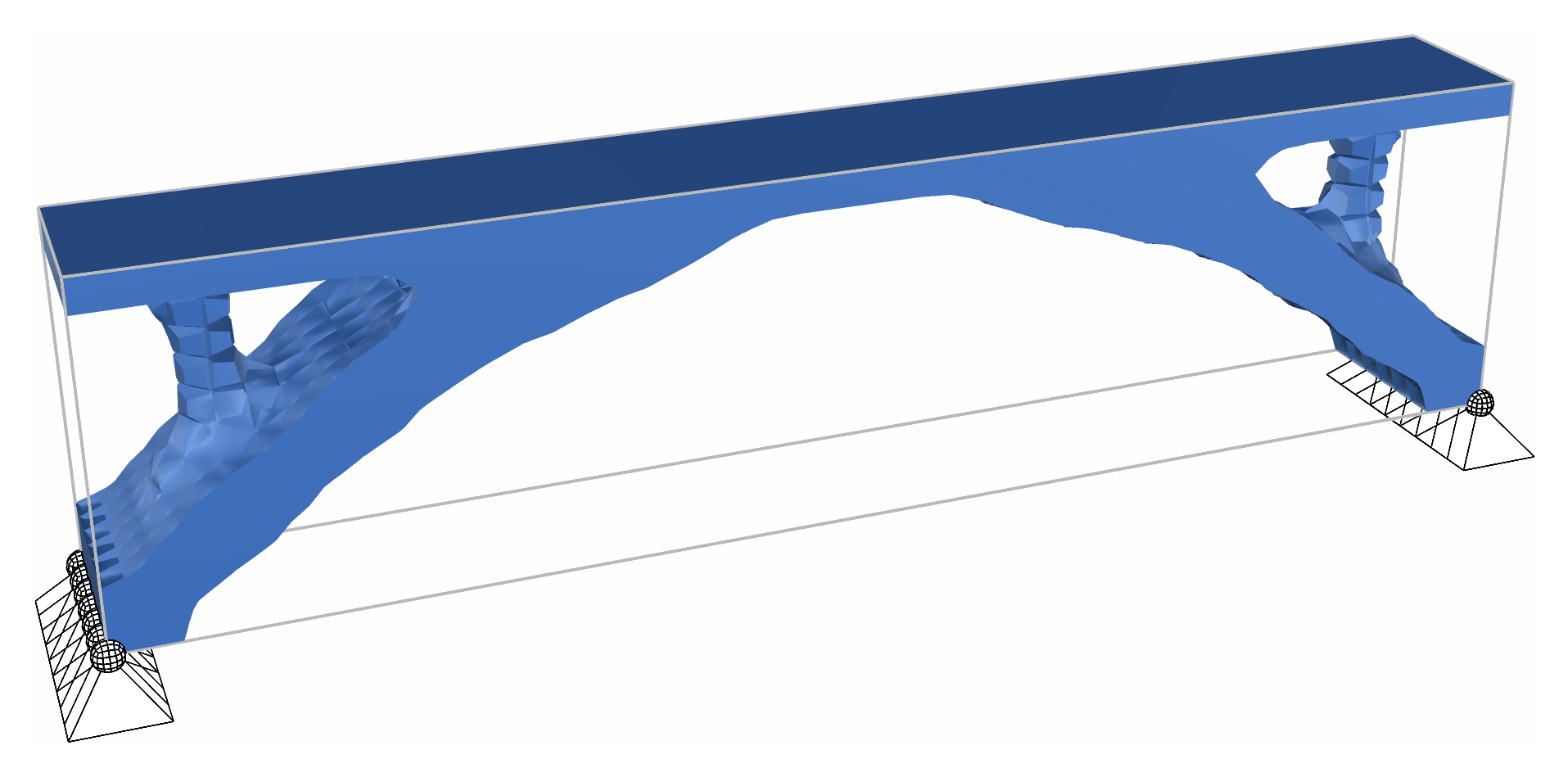
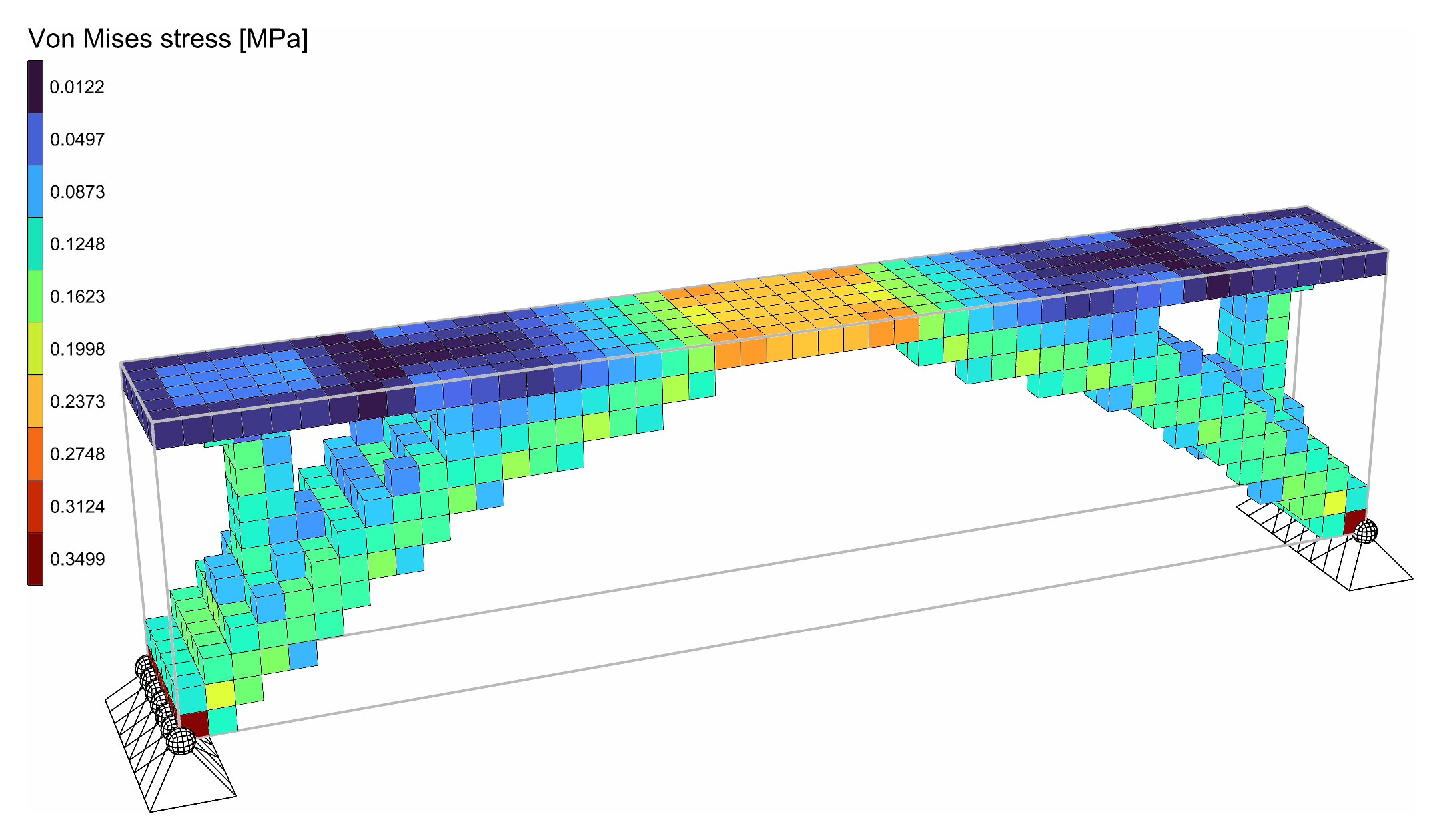
Where a bridge needs its steel, found by Topology Optimisation in a block of bricks. The design domain is a steel block 16 m long, 2 m wide and 4 m high, pinned along both ends of its bottom. Its top layer is the deck: it carries 10 kN/m² and stays solid, whatever the optimisation finds. With a fifth of the rest, the optimisation finds an arch from support to support, rising into the deck at mid-span, with a column up to the deck near each end.
INFO
Without a license, Topology Optimisation runs on models of up to 500 elements. At 3 bricks per metre this one has 3 456, so it needs one; at 1 brick per metre, 128 bricks, it runs without.
The model
| Group | What it does |
|---|---|
| 1 - How fine | Bricks per metre, the same every way. The Expressions turn it into the bricks along and across, the height of a layer and the number of levels. |
| 2 - The design domain and the deck | The plan, a 16 x 2 m rectangle, meshed once with Mesh Plane, copied up level by level and made into bricks between each pair of levels by Mesh Series to Brick. The domain runs from the bottom to the deck's underside; the deck is the one layer above. |
| 3 - Steel, and the bricks | An nD material, steel with E = 210 GPa and ν = 0.3. Two sets of SSP Bricks, named Domain and Deck through their ElementId. |
| 4 - Pinned ends, and the deck load | The nodes along the bottom of both ends, held in X, Y and Z by a Support and free to rotate. The deck load, 10 kN/m² over 32 m², shared equally among the nodes of the deck's top as Point Loads, in a Load Pattern. |
| 5 - Assemble Model | Assemble. Model View is disabled: enable it to see the domain, the supports and the loads. |
| 6 - Topology Optimisation | Keep names the Deck. VolumeFraction 0.2, Iterations 100, Run, and Step to look back over the run. Panels show the compliance, whether the run converged, and its history. |
| 7 - The design, analysed | Run Analysis on the optimisation's AlpacaModel, the design as a model of its own, and Model View colouring it by Von Mises stress, with a Legend. Run Analysis and Legend are disabled: enable them once the run has stopped. |
Running it
- Set Run to
true. The run goes on its own thread, so Rhino stays free. The Surface preview and the outputs follow it about once a second. At 3 bricks per metre, 3 456 bricks, it settles after 77 iterations, in about 15 seconds on an Apple M2 Pro. - Set Run to
falseto pause, and back totrueto go on. Raise Iterations to go further. Changing anything else, such as VolumeFraction or Bricks per metre, starts the run again. - Drag Step back to watch the run design by design: every iteration is kept.
- Once the run has stopped, select Run Analysis and Legend and enable them. The design is analysed as it would be built, solid and void, and Model View colours it by Von Mises stress. Disable Run Analysis again before dragging Step, or every design shown is analysed.
What it shows
At 3 bricks per metre, the steel forms an arch, with a column at each end carrying the deck down to the supports.
At 2 bricks per metre, the deck is a 0.5 m slab of solid steel, stiff enough to span most of the way by itself. The steel then goes into two legs that shorten its span, rather than into an arch. What is best depends on what is already there.
At 4 bricks per metre, the block has 8 192 bricks, and the run takes under a minute.