
Explorer Record
Saves each design of a study into a folder the Alpaca4d Explorer opens: data.csv with its inputs and results, and a picture and a 3D model of each design.
🔧 Grasshopper component
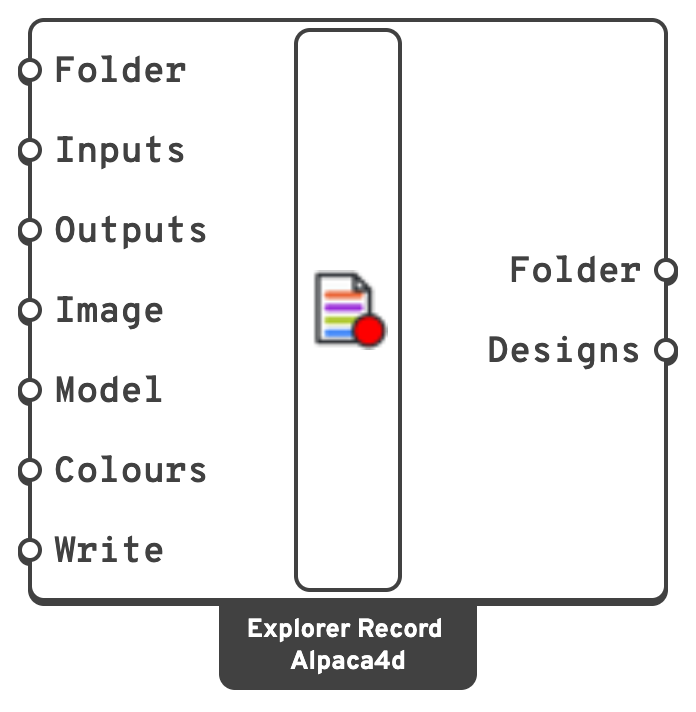
FolderWhere to save the study.
Documents\Alpaca4d.InputsFrom Inputs of Explorer Inputs.
ColoursA colour per Model item, or one for all: a text dot's background, a text's colour.
true to save designs.Right-click
| Item | Does |
|---|---|
| Open the study folder | Opens it in Finder or Explorer. |
| Open the Alpaca4d Explorer | Opens the explorer in the browser, and the folder, ready to drop on it. |
| Start a new study… | Deletes data.csv and the pictures and models it lists, after asking. Other files in the folder are left alone. |
📈 What it saves
AlpacaExplorer/bridge/
  data.csv
  20_1.5_6_HEA200.png
  20_1.5_6_HEA200.glb
Files are named after the design's input values. data.csv has a column per input (in:Span [m]), per result (out:Mass [t]), the picture (img, or img:Top and so on for several views) and the model (threeD).
The 3D model. Plug the AlpacaModel into Model and it is saved as Model View draws it: beams as their sections carried along them, shells and solids as meshes, in the elements' colours. Meshes keep their vertex colours, so a coloured result mesh comes out coloured. Breps and SubDs are meshed, curves become lines, points and point clouds become dots.
Labels. Text dots and text become labels: the explorer draws them over the model, facing you and the same size however far you zoom, as Rhino draws a text dot, and a button in the 3D view shows or hides them. A dot keeps its colour as its background, a text as its colour: the one given in Colours, or else, for a dot picked from Rhino, its own object or layer colour, as Rhino draws it. A thin light ring keeps a black dot visible on a dark view. They are kept as labels in the .glb rather than turned into geometry, so other glTF viewers show the model without them.
💡 Notes
Note
A study only grows. A design whose inputs are already in data.csv is not saved again. Fly again after a stop and only the missing designs are run. To start over, right-click ▸ Start a new study…
Warning
One study per folder. If the folder holds a study with other inputs, results or views, Explorer Record refuses to add to it rather than write rows that do not line up. Record into another folder, or start a new study.
- If a design cannot be saved - data.csv open in Excel, a full disk, a result whose list changed length and with it the columns - the flight stops and says why, rather than solving designs that are not kept.
- A design is written once its solution is over and Rhino has redrawn, so its picture shows it and not the design before. With Write on, moving a slider by hand records the design too.
- Pictures leave out the grid and the axes. Pick a display mode and a view before flying; the picture is the viewport as it is drawn.
- Something that solves designs back to back without letting Rhino redraw, such as Galapagos, still has every design saved, but a picture may show the design after its own.