
Load elements by name
Give a group of beams or shells one name, and load the whole group by typing that name, with no wire from the element component. The same name pulls the group's results out later.
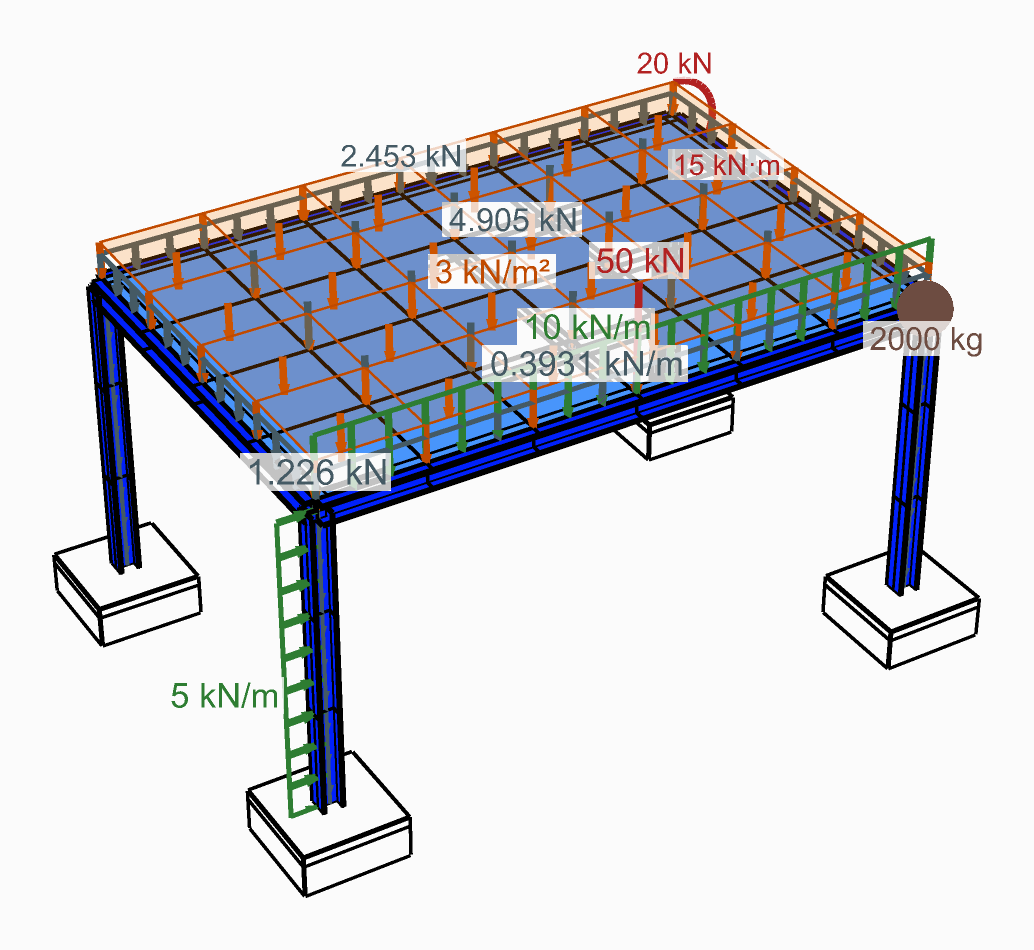
Loads on the elements they name, as Model View draws them.
You need
- Beams from Force Beam Column, or shells from ASD Shell.
- A Load Pattern and Assemble.
Steps
- Type a name into ElementId on the element component, such as
ColorSlab_1. One name over twenty curves labels all twenty; give a list to name them apart. ASD Shell makes one element per mesh face, and one name on the mesh names every face of it. - Place a Linear Load for beams, or a Mesh Load for shells.
- Type the name into its first input, Beam|Id or Shell|Id, from a Panel. It also takes a wildcard (
Col*), an element tag (47) or a regular expression (regex:^Col). - Give the Force, in global axes:
kN/mon a Linear Load,kN/m²on a Mesh Load. - Wire the load into Loads of the Load Pattern, and the pattern into LoadPatterns of Assemble.
Check
- Assemble warns when a name loads nothing: it matches no element, or only elements of the other kind, such as shells on a Linear Load. When it matches nothing, the warning says which ElementIds the model does have.
- In Model View, type the same name into ElementId: the elements it names are drawn, the rest greyed. Tick Show Loads and Show Values in the Loads menu to see the load on them.
Good to know
- Left empty, Beam|Id loads every beam in the model and Shell|Id every shell.
- Each item makes one load, so two names that match the same element (
Col*andCol_3) load it twice. - A name is matched whole, in upper or lower case alike:
slabfindsSlab, butSlabdoes not findSlab_1. UseSlab*for that. - The ElementId input of Beam Forces, Shell Forces and the other result components takes the same names, and reads only those elements: see Read the results of chosen elements and nodes.
See also
- Linear Load — a uniform line load on beams
- Mesh Load — a uniform pressure on shells
- Force Beam Column — the ElementId input
- Model View — draw only the elements a name picks
- Read the results of chosen elements and nodes — results by the same names