
Force Beam Column
A force beam column is a frame element with a force-based (flexibility) formulation. The section response is integrated along the member, so the element captures the real distribution of curvature along the span rather than assuming a shape function for it.
🔧 Grasshopper component
ForceBeamColumnAlpaca4d ▸ 02_Element
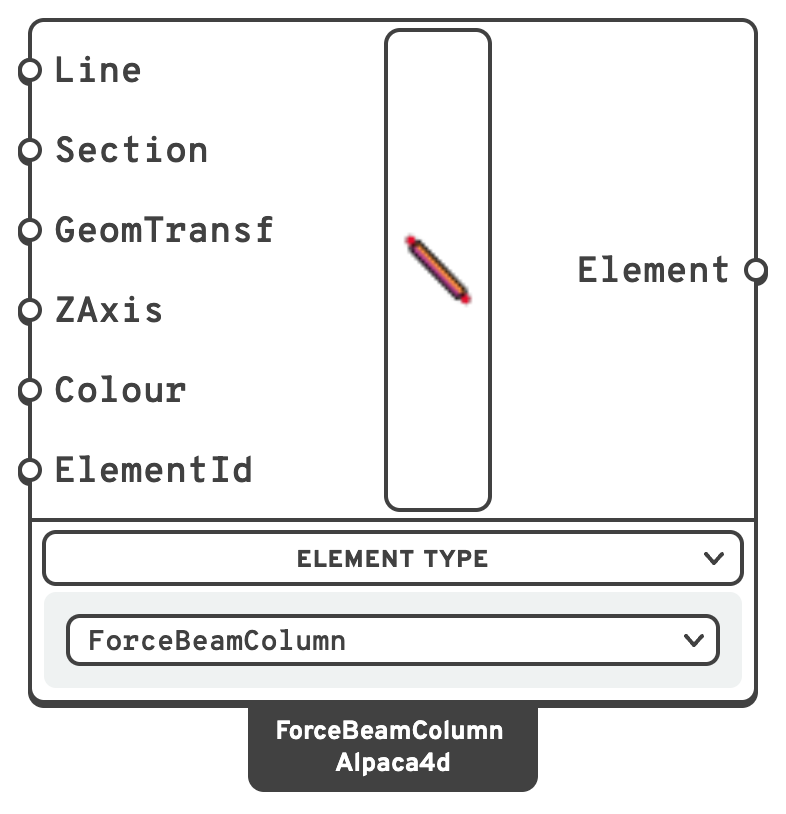
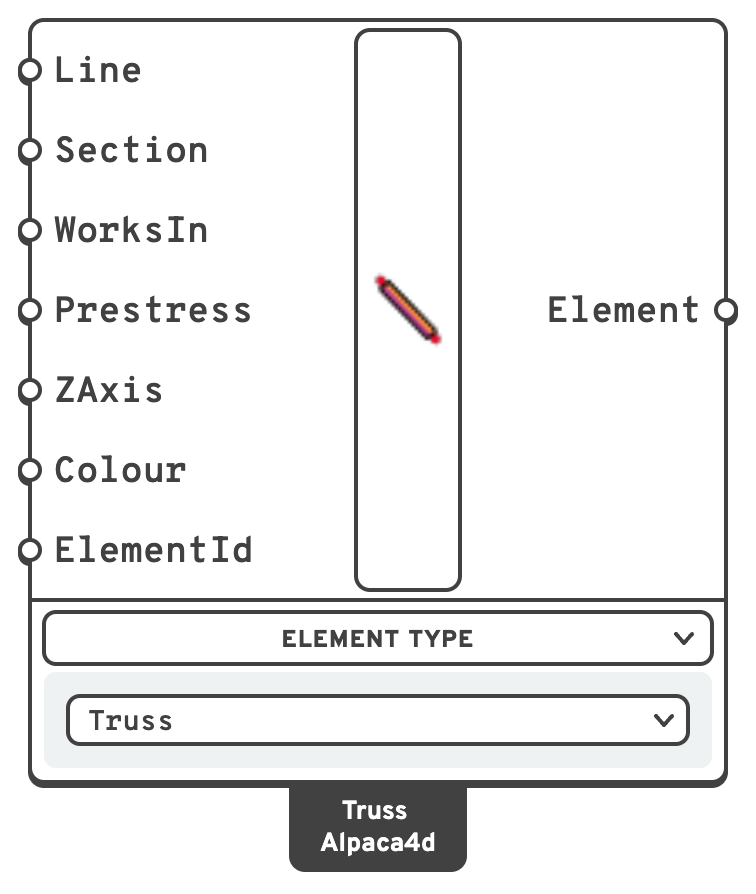
Inputs
LineCentreline of the element, in
m.SectionCross-section, from any of the Sections components.
Carries the material, and with it the mass density.
GeomTransfGeometricTransformationGeometric transformation.
If left empty a Linear transformation is built from the line and
ZAxis.ZAxisLocal z axis of the element.
If left empty it is horizontal, so local y — the depth of an I-section, the height of a rectangle — points as near straight up as the beam allows, and gravity bends a floor beam about its strong axis (
Vy, Mz). A vertical member gets local y along global X.ColourDisplay colour in the Rhino viewport.
ElementIdOptional name for the element, used to pull its results out later.
Free text, and yours to repeat: one name over twenty curves labels all twenty, and asking for it returns all twenty. Give a list to name them apart.
LineOne bar per line, in m. Its two ends become nodes.
It must be straight: anything but a line is an error.
SectionThe bar's area and material: any beam section, a tube from Section Library included.
Its shape only draws the bar.
WorksInBoth, Tension or Compression: which way the bar carries load.
A tension-only bar goes slack when pushed, a compression-only one lets go when pulled. Connect a Value List to pick from them.
PrestressThe axial force the bar starts with, in kN, tension positive.
A cable needs it: straight and slack, it has no stiffness across its length. A tension-only bar takes zero or more, a compression-only one zero or less.
ZAxisLocal z axis, squared off the bar.
It only turns the section, for drawing and for the steel check; left empty it is horizontal, as on a beam.
ColourDisplay colour in the Rhino viewport.
ElementIdOptional name for the element, used to pull its results out later.
Free text, and yours to repeat: one name over twenty curves labels all twenty, and asking for it returns all twenty. Give a list to name them apart.
A truss is always corotational, so it holds for large displacements too. A line load on it goes to its two end nodes, half each. A tension-only or compression-only bar needs a non-linear analysis to let go: the Newton algorithm, in several steps.
Outputs
ElementBeam element, to be connected to Assemble.
A switcher component. The Element Type menu selects the unit:
- ForceBeamColumn — a plain force-based beam, described here.
- WithHinges — the same element with plastic hinge zones at the ends, described in Beam With Hinges.
- Truss — a bar that carries axial force only: in tension and compression, or in one of the two. Its inputs are below.
📈 When to use it
Use it when
- You are modelling any line-like member: beams, columns, braces, truss bars.
- You want the spread of yielding along the member length to be captured.
- You need realistic curvature and rotation demands for pushover or seismic work.
Do not use it when
- Inelasticity is confined to the member ends and you would rather control the hinge length explicitly → switch the unit to WithHinges.
- The member is really a surface or a solid → use Shell or Brick.
🔗 Relation to OpenSees
The component writes a geomTransf and a forceBeamColumn:
tcl
geomTransf Linear $transfTag $zx $zy $zz
element forceBeamColumn $eleTag $iNode $jNode $transfTag NewtonCotes $secTag 5 -mass $massDens- The integration is Newton–Cotes with 5 points, created automatically.
$secTagcomes from the Section input.$massDensis mass per unit length, from the section area times the material density.- Transformation and integration tags are numbered automatically per element.