
Material Database
The material database turns a standard grade name into a consistent elastic material, so you do not have to type E, G, ν and ρ by hand and get them to agree.
🔧 Grasshopper component
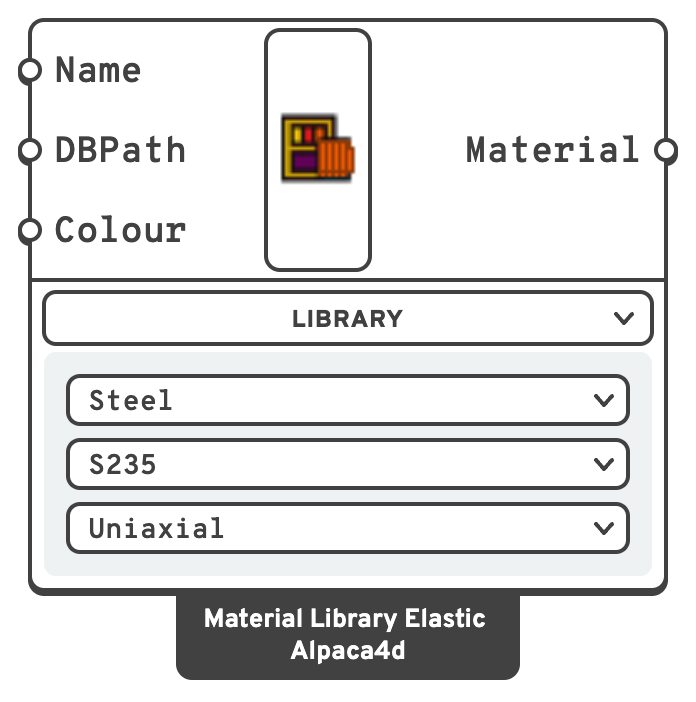
NameMaterial NameType a grade name directly, e.g. S235.
DBPathDatabasePathPath to a custom JSON database with the same schema as the built-in ones.
ColourThe colour the material is drawn in when Model View colours the elements by material — every grade of the list, with Grade set to All.
Options
Three dropdowns live on the component body, under the Library menu:
| Dropdown | Values | Default |
|---|---|---|
| Type | Steel, Concrete, Timber, Plastic — plus any type found in a custom database | Steel |
| Grade | All, then the grades of the selected type | S235 |
| Model | Uniaxial or nD | Uniaxial |
Set Grade to All for every grade of the type as a list, in the order the database lists them — weakest first for steel, S235 to S450. Pick from it with List Item and a slider to let an optimisation choose the grade. Connect a Panel to the output to read the list: each material shows as its name.
Built-in grades:
| Type | Grades |
|---|---|
| Steel | S235, S275, S355, S450 |
| Concrete | C25_30, C28_35, C30_37, C32_40, C35_45, C40_50 |
| Timber | C14, C16, C18, C20, C22, C24, GOB_Green_Oak |
| Plastic | PVC, HDPE, PE, PP, PS, PET, PC, PLA, PVA, PTFE, PEEK, PVDF |
💡 How the properties are derived
Each database entry stores E and G in MPa and rho in kg/m³. The component:
- Converts
EandGtokN/m²by ×1000. - Derives Poisson's ratio from the pair,
ν = E/(2G) − 1, clamped to[0, 0.4999]. - Recomputes
G = E / (2(1+ν))so the triple is internally consistent. - Passes
rhothrough unchanged.
The grade name becomes the material name.
💡 Design grade
For a steel grade the material also carries its design grade — fy and fu from EN 1993-1-1 Table 3.1, including the lower values for plates thicker than 40 mm — which Utilisation checks the beam against. The solver never sees it. Only the Uniaxial model carries one, since that is what beams are made of.
💡 Custom databases
A custom database is a JSON object keyed by grade name. The built-in steel file looks like this:
{
  "S235": {
    "rho": 7850,
    "E": 210000,
    "G": 80769,
    "fy": 235,
    "fu": 360,
    "fy_40_80": 215,
    "fu_40_80": 360,
    "epsilon_yield": 0.015,
    "epsilon_max_Stress": 0.11,
    "strainAtRupture": 0.17,
    "material_type": "Steel"
  }
}E, G, rho and material_type make the elastic material. material_type is what the Type dropdown lists, so give every entry in one file the same value.
An entry whose material_type is Steel and which gives fy is also a design grade, for Utilisation: fy and fu in N/mm² for plates up to 40 mm thick, and fy_40_80 and fu_40_80, if given, for 40 to 80 mm. Strain values are not read.
📈 When to use it
Use it when
- You want a standard grade and want
E,Gandνto agree with each other. - Your office has its own grades or a national standard not in the default set → point DatabasePath at a JSON file.
Do not use it when
- The material is non-standard → use Uniaxial or nD directly.
- You need non-linearity → the database is elastic only. See Moment Curvature for
Concrete01,Steel01andReinforcingSteel.