
Release the end of a beam
Pin a beam at one end or both, or release it about one axis only, so that end carries no moment. The WithHinges type of the beam component takes a release for each end.
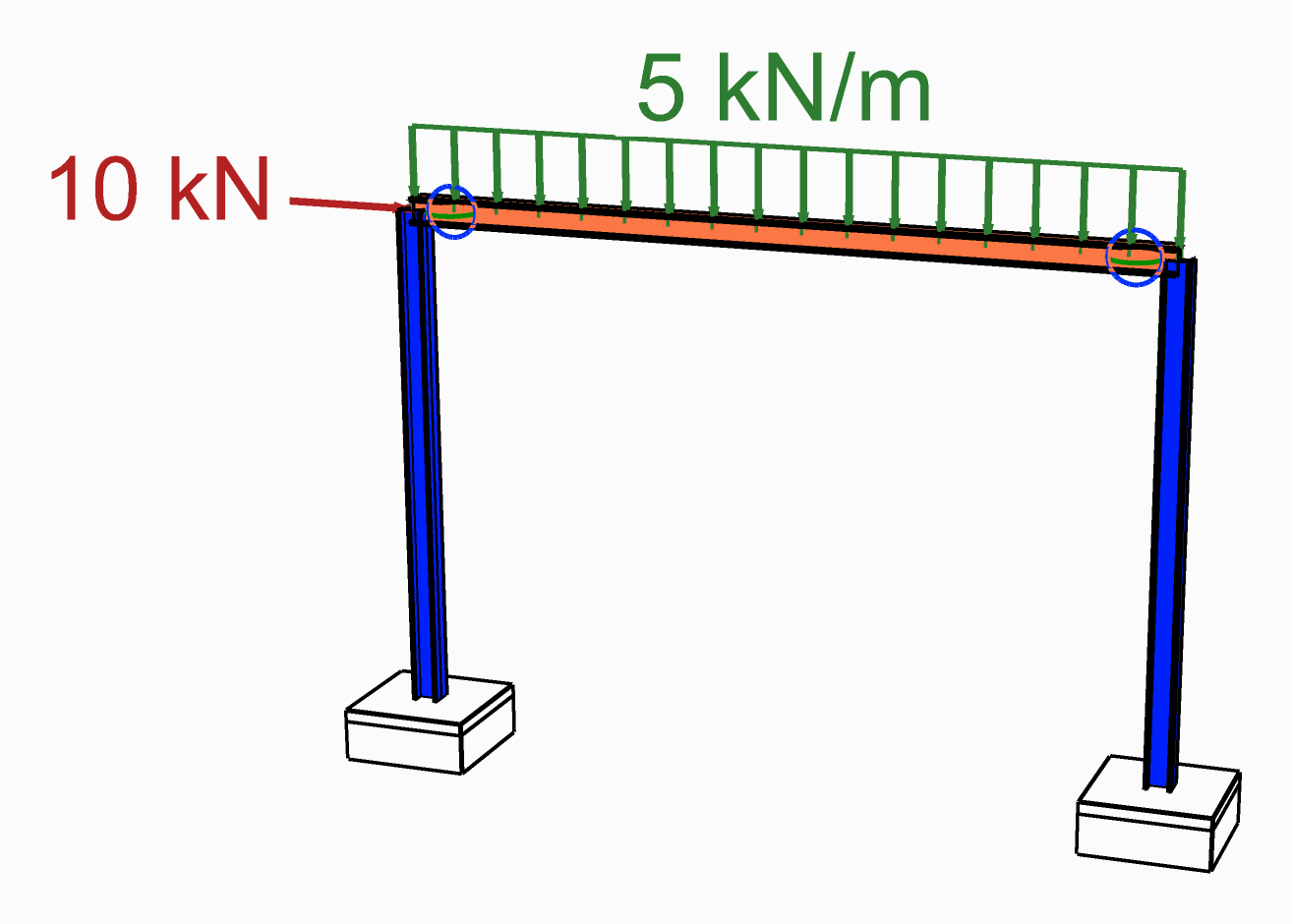
The beam is released at both ends, drawn as a circle where it meets each column.
You need
- The beam's centreline and a section, as for a Force Beam Column.
Steps
- Place a Force Beam Column and set its Element Type menu to WithHinges.
- Wire the centreline into Line and the section into Section, as for a plain beam.
- Place a Hinge Release. Its six inputs, Tx to Rz, start
true:trueis held,falseis released, the same way round as on a Support. - For a pin, set Ry and Rz to
false. For a release about one axis, set that one only. - Wire the release into ReleaseI for the end at the start of the line, into ReleaseJ for the end at its end, or into both. An end left empty is fully fixed.
- Leave LpI and LpJ empty: they are the hinge lengths, as a fraction of the beam's length,
0.05by default.
Check
- In Model View, End Releases in the Elements menu is on to start with. Each released rotation is drawn as a circle at its end, in the plane the end turns in: green for local y, blue for local z.
- After the analysis, tick Beam forces and My or Mz in Model View's Results menu: the diagram falls to about zero at the released end.
Good to know
- Ry and Rz are about the beam's local y and z axes. To release one only, turn on Local Axes in Model View to see which is which.
- A release is a very soft hinge section, its stiffness scaled by 10⁻⁶, not a true free end, so the moment there is small rather than zero. LpI and LpJ are clamped to 0.02 – 0.10.
- To free a beam in torsion as well, release Rx at one end only. Released at both ends, the beam is free to spin about its own axis, held only by the two soft hinges.
- For a bar that carries axial force only, set Element Type to Truss instead. Model View draws a ball joint at each end of it.
See also
- Hinge Release — the six booleans of one end
- Beam With Hinges — every input, and how the hinge is written for OpenSees
- Model View — End Releases and Local Axes
- Alpaca4D to FEM-Design — a beam pinned at both ends, with no beam load on it, goes to FEM-Design as a truss