
Analysis Settings
Collects every object OpenSees needs to define an analysis into one bundle, which Run Analysis then executes.
🔧 Grasshopper component
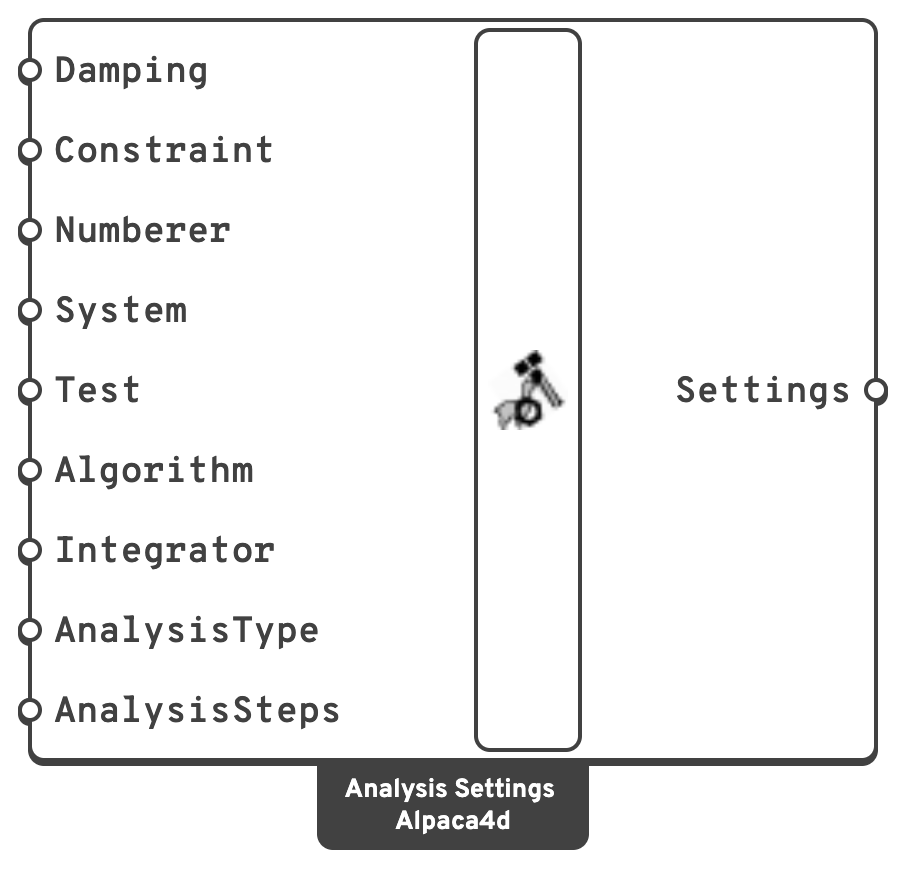
DampingRayleigh damping, from Damping.
Plain, Transformation.RCM, AMD, Plain.SystemLinear system solver: Auto, Mumps, BandGen, BandSPD, ProfileSPD, SuperLU, UmfPack, SparseSYM, SparseSPD, SparseGeneral, FullGeneral.
Linear, Newton, NewtonLineSearch, ModifiedNewton, KrylovNewton, SecantNewton, BFGS, Broyden.Static or Transient.Attach a Value List to any of the text inputs and Alpaca4d fills it with the valid options.
Right-click menu
Cores for Mumps sets how many cores Mumps solves on: All, the default, or a number from 1 up to the cores of the machine. It applies to System Mumps, and to Auto on an OpenSees that has Mumps; every other System solves on one core. The choice is saved with the component, so it stays with the definition.
💡 Choosing the values
Constraint handler. Leave it at Transformation. Plain cannot handle rigid diaphragms or rigid links, and gives a wrong answer rather than an error when it meets one.
Algorithm. Newton, the default, re-forms the tangent every iteration. On an elastic model it is about 20 % slower than Linear, and on a yielding one it is what lets the step converge at all. Linear does one solve with no iteration. On a non-linear model it still reports success, and returns the unconverged first guess. ModifiedNewton re-forms the tangent less often, and KrylovNewton often converges where Newton does not.
System. Leave it at Auto. It solves with Mumps when the OpenSees in use has it, and with BandSPD when it does not. The official OpenSees does not have Mumps, and on it Auto notes the switch in the log without raising a warning. Mumps asks for Mumps outright: on an OpenSees without it the log carries a warning, and BandSPD solves. Both Auto and Mumps assume a symmetric matrix, as BandSPD does. UmfPack and SparseGeneral assume nothing about it: reach for them if a model refuses to solve. UmfPack runs out of memory in OpenSees on a frame or a solid of about 100 000 DOF. FullGeneral is for small models and debugging only.
Analysis type. Static for anything where inertia does not matter, including a pushover. Transient whenever time is real: a ground motion, an impact, a machine.
⚡ Solving on several cores
Mumps is a sparse direct solver that factorises the stiffness matrix on several cores at once. It runs inside the one OpenSees process Alpaca4d already starts, and needs nothing else installed. It is only in an OpenSees built with it, which Alpaca4d uses when you point it at one, as Setup describes.
On a small model every solver takes a few milliseconds, and Mumps is as quick as BandSPD. On a large one Mumps is 2 to 18 times quicker, and needs less memory. Below is one static step with Newton, as Run Analysis solves it, on every core:
| Model | DOF | Mac, BandSPD | Mac, Mumps | Windows, BandSPD | Windows, Mumps |
|---|---|---|---|---|---|
| Frame 15 × 15 × 15 bays | 23 040 | 0.47 s | 0.20 s | 1.01 s | 0.45 s |
| Brick block 24 × 24 × 24 | 45 000 | 17.0 s | 0.92 s | 30.9 s | 2.4 s |
| Shell 120 × 120 | 84 966 | 4.07 s | 1.89 s | 11.6 s | 4.2 s |
| Frame 25 × 25 × 25 bays | 101 400 | 13.1 s | 3.47 s | — | — |
| Shell 200 × 200 | 237 606 | 49.0 s | 5.40 s | — | — |
| Brick block 36 × 36 × 36 | 147 852 | out of memory (> 6 GB) | 4.71 s | — | — |
Mac: Apple M2 Pro, 10 cores. Windows: a GitHub Actions runner, 4 virtual cores. Each answer was checked against another solver's.
Most of the gain comes from Mumps itself, not from the extra cores. Going from one core to all of them takes off up to a further quarter. On a tiny model, starting the threads costs a few milliseconds, more than they save.
📈 When to use it
Use it when you are running anything through Run Analysis.
Do not use it when you only want modes → Natural Vibration needs no settings.
🔗 Relation to OpenSees
The component writes the standard analysis block:
rayleigh    $alphaM $betaKcurr $betaKinit $betaKcomm
constraints $constraintType
numberer    $numbererType
system      $systemType
test        $testType $tol $iter $flag $norm $maxIncr
algorithm   $algorithmType
integrator  $integratorType ...
analysis    $analysisType
set alpacaAnalyzeOk [analyze $numIncr $dt $dtMin $dtMax $jd]
For Auto and Mumps the system line asks for Mumps, and falls back on BandSPD if OpenSees does not know it:
if {[catch {system Mumps -matrixType 1 -numThreads 0}]} {
    puts stderr "Alpaca4d: this OpenSees has no Mumps solver, so BandSPD solves, on one core"
    system BandSPD
}
-numThreads 0 takes every core. A number picked in Cores for Mumps takes its place.