
Send a model to FEM-Design
Write an Alpaca4d model to a .struxml file that StruSoft's FEM-Design opens, to design it there: its bars, plates and walls, supports, load cases and masses.
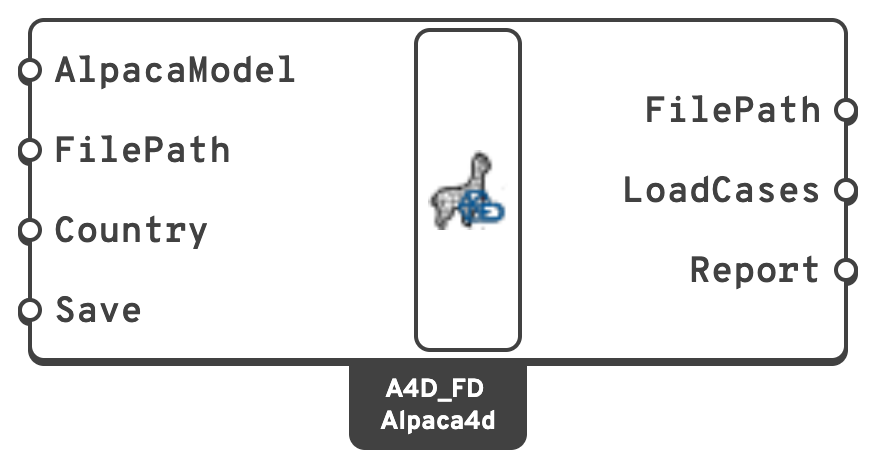
You need
- An assembled model from Assemble, or an analysed one from Run Analysis.
Steps
- Place Alpaca4DToFEM-Design, in Alpaca4d ▸ 06_Assemble, and wire the model into AlpacaModel.
- Set Country to the national annex whose material library the materials are looked up in:
common, the Eurocode's recommended values, to start with, orS,N,DK,FIN,HorLV. The countries' names work too. - Read Report before saving. The model is converted and the report shown, but nothing is written yet.
- Give FilePath, or leave it empty to write the file next to the Grasshopper definition, with its name. That needs the definition saved.
- Set Save to
true. - Open the file in FEM-Design. Set the load cases' types and durations, and the combinations you need, there.
Check
- FilePath gives the file written, once Save is
true. Saving checks the file against FEM-Design's schema, and anything that fails is an error. - LoadCases lists FEM-Design's load cases: one per load pattern with loads, in order, then the self-weight.
- In FEM-Design, a linear analysis of the combination
Alpaca, which adds every load case with its factor, is the analysis Alpaca4d runs. Compare the two.
Good to know
- The Report has errors first: what is left out and changes the structure or its loads, such as bricks and tetrahedra, which are not exported. Warnings are approximations, remarks things worth knowing.
- Grades from the Material Database and profiles from the Steel Section Library become FEM-Design's own, which it can design with. Any other material is analysed but not designed.
- A beam's ElementId becomes its name in FEM-Design, numbered:
Column.1,Column.2... - The export goes one way: FEM-Design's results do not come back. The file can be written on Rhino for Mac too, and opened in FEM-Design on Windows afterwards.
See also
- Alpaca4D to FEM-Design — what becomes what, element by element
- Load elements by name — give beams an ElementId
- Release the end of a beam — a beam pinned at both ends, with no beam load on it, becomes a truss