
Shell
Shell elements carry both in-plane (membrane) and out-of-plane (bending, shear) actions, and are the right choice for anything thin relative to its other two dimensions — slabs, walls, plates, folded plates, roofs, tanks.
Alpaca4d uses the ASDShell family from ASDEA:
ASDShellQ4— 4-node quadrilateral.ASDShellT3— 3-node triangle.
🔧 Grasshopper component
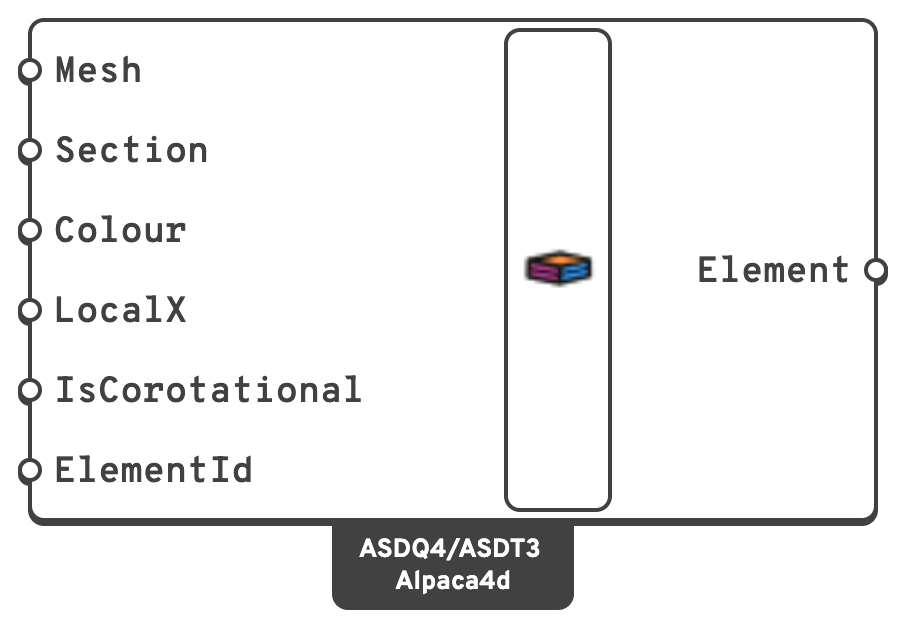
m. Quads and triangles may be mixed.LocalXLocal X AxisDirection the element's local x axis is aligned to.
ElementIdOptional name for the elements, used to pull their results out later or to load them by name.
Note
Set Local X Axis on any model where you intend to read pxx, myy and the rest. Without it each face orients itself independently, and the per-face results are no longer comparable across the mesh.
Warning
The Local X Axis cannot stand square to the shell. It is flattened onto each face, and along a face's normal nothing is left to flatten: OpenSees stops at Run Analysis with only Analysis Failed to show for it, and a vector a hair off the normal gives an axis that turns with every tilt of the face. So ASD Shell turns away a Local X within 1° of the normal of any face and lists the faces, counting from 0. On a horizontal slab give a horizontal vector, not Z. On a curved shell, pick one that no face stands square to: a cylinder's own axis, or a horizontal vector on a dome that stops short of vertical. A shell whose faces turn to face every way has no such vector, so split it and give each part its own.
ElementThe shell elements, one per mesh face, to be connected to Assemble.
One component covers both element types. The mesh is exploded into single faces, and each face becomes one element: 4 vertices → ASDShellQ4, 3 vertices → ASDShellT3.
📈 When to use it
Use it when
- You are modelling slabs, walls, plates, shells or other thin surfaces.
- Membrane and bending actions both matter — floor diaphragms, shear walls, tanks.
- A solid model would be unnecessarily heavy but a beam model is too coarse.
Do not use it when
- The body is genuinely volumetric → use Brick or Ten Node Tetrahedron.
- The behaviour is member-like → use ForceBeamColumn.
🔗 Relation to OpenSees
element ASDShellQ4 $eleTag $n1 $n2 $n3 $n4 $secTag <-corotational> <-local $x $y $z>
element ASDShellT3 $eleTag $n1 $n2 $n3 $secTag <-corotational> <-local $x $y $z>- Node tags come from the mesh face vertices, matched to model nodes by the Assemble tolerance.
$secTagis the Section input.-corotationalis emitted when Is Corotational istrue.-localis emitted only when Local X Axis is supplied.