
Size steel beams automatically
Let Alpaca4d pick the lightest section for every steel beam that passes EN 1993-1-1, analysing the model again as the sections change.
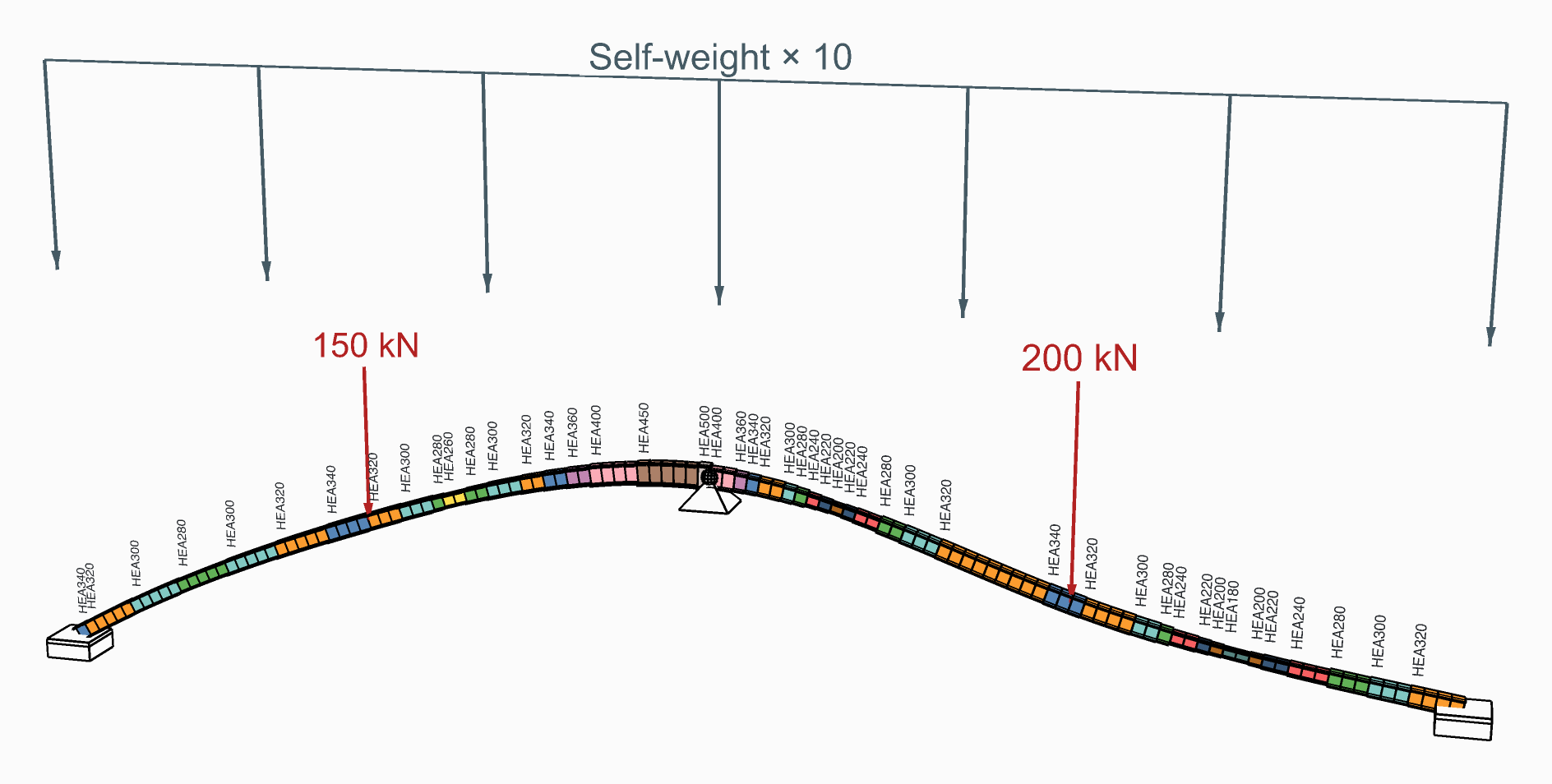
From the Two-Span Beam example: each element on the first HEA it can have.
You need
- An assembled model, from Assemble, whose beams are steel: their material from Material Library Elastic, so that each carries its grade.
- Beam sections from Steel Section Library, or lists of sections of your own.
- For groups, beams with an ElementId: see Load elements by name.
Steps
- Place a Section Optimiser and wire the assembled model into AlpacaModel. It analyses the model itself: it needs no Run Analysis.
- Leave DesignGroups empty to size each beam within the family of the section it starts with, smallest area first: an HEA200 among the HEAs.
- Or give it Design Groups: a list of sections per group, in the order to try them, and the beams that belong to it by ElementId. With Uniform on, the whole group takes one section: give each member drawn as several beams a group of its own, so that it is built as one.
- Set MaxUtilisation:
1is at the limit,0.8keeps a fifth in hand. - In the Design menu, give the buckling lengths a member needs: LengthY, LengthZ and LengthLT. Left empty, each is the beam's own length, held at both ends: not safe for a cantilever.
- Read Section, Utilisation and Mass; wire AlpacaModel, the last design analysed, into Model View or the result components.
Check
- Converged is
true: the last iteration changed no section. If it isfalse, raise Iterations. - Every Utilisation is at or below MaxUtilisation. Governing, in the Design menu, says which check gives each one, or why a beam could not be checked.
- Mass has one value per iteration, the last design's last; History, in the Design menu, adds the largest utilisation and how many sections changed in each.
Good to know
- The check is steel only, as Utilisation's is. A section with no steel grade, or an Elastic Section with no shape, is never picked.
- ElementId on the optimiser sizes only some beams; the others keep their sections but are still analysed and checked.
- Each analysis is static, in one step. Press Escape to stop after the iteration under way.
- Torsional and torsional-flexural buckling (6.3.1.4) are not checked yet.
See also
- Section Optimiser — every input and output
- Design Group — beams sized from one list
- Check steel members to EN 1993-1-1 — the check it repeats
- Two-Span Beam — a curved beam sized from a list of HEAs, element by element or as one section