
Brick
The brick is a 3D solid hexahedral element based on the OpenSees SSPbrick formulation — Stabilized Single Point. One integration point plus a stabilization term, which keeps it free of the shear locking that a fully integrated 8-node brick suffers from in bending, and cheap with it.
Use it for volumetric behaviour: foundations, cores, massive walls, blocks, soil volumes.
🔧 Grasshopper component
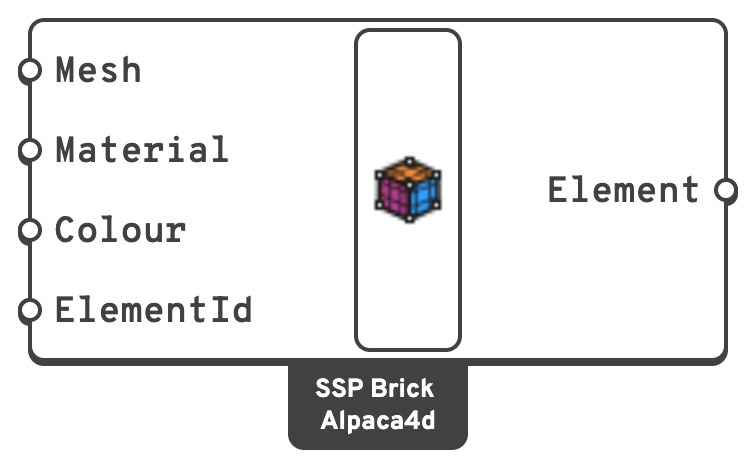
MeshHexahedral mesh with 8 vertices, in m.
CleanHexahedron to put the corners in the order OpenSees expects.MaterialAn nD material.
ElementIdOptional name for the element, used to pull its results out later.
Note
One component makes one element. To build a solid region, graft a list of hexahedral meshes into the component — Mesh Series to Brick and Mesh Loft exist to produce them.
Constructs one brick element from one hexahedral mesh.
📈 When to use it
Use it when
- You need a full 3D stress state — confinement, triaxial behaviour, contact with soil or massive concrete.
- The region cannot be represented accurately by beams or shells.
- You are studying stress concentrations inside a body.
Do not use it when
- The body is thin compared to its in-plane dimensions → use Shell.
- The behaviour is bending-dominated and member-like → use ForceBeamColumn.
- Your geometry only meshes into tetrahedra → use Ten Node Tetrahedron.
🔗 Relation to OpenSees
element SSPbrick $eleTag $n1 $n2 $n3 $n4 $n5 $n6 $n7 $n8 $matTag $bx $by $bz- The 8 mesh vertices map to
$n1 … $n8. $matTagis the Material input.- The body forces
$bx $by $bzare not exposed by the component and are left at the OpenSees default. Self-weight is applied instead as equivalent nodal loads by Gravity Load.
Note that a brick node has 3 DOF, not 6. A brick sharing a node with a beam or shell therefore transfers force but no moment.