
Node Forces
The forces that every beam and truss brings into a node: what a joint has to carry, member by member, for designing the connection there.
🔧 Grasshopper component
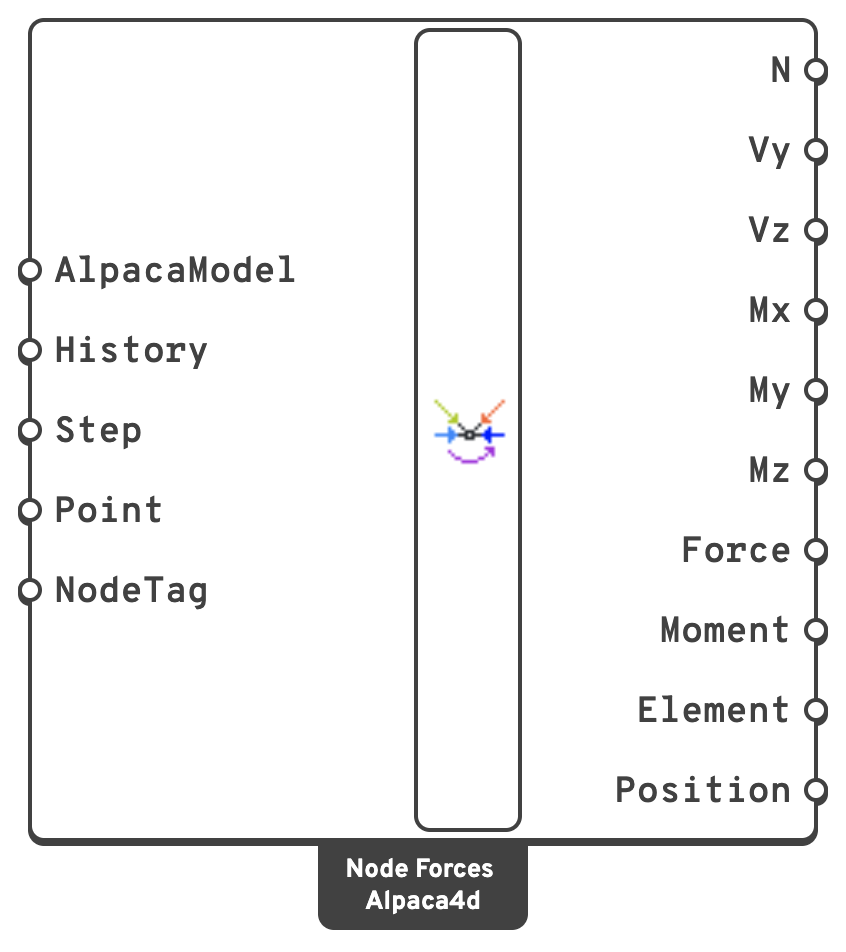
HistoryRead every recorded step instead of one.
{step; tag}. Step is ignored.PointThe nodes to report, by where they are.
NodeTagThe nodes to report, by tag.
Every output is a data tree, one branch per node, keyed by the node's tag: {tag}, or {step; tag} with History. The branches come in tag order, whatever order the points were given in; Position says which node each one is. Within a branch there is one item per member meeting at the node, in the same order in every output.
NAxial force in each member at the node, in kN.
VyShear along the member's local y axis at the node, in kN.
VzShear along the member's local z axis at the node, in kN.
kN·m.MyBending about the member's local y axis at the node, in kN·m.
MzBending about the member's local z axis at the node, in kN·m.
kN, in global axes.kN·m, about the global axes.ElementThe members meeting at the node.
📈 When to use it
Use it when
- You are designing a connection: a gusset plate where the diagonals of a truss meet its chord, a bolt group at a beam end, a base plate under a column. Pick the node and you get every member that arrives there with its end forces.
- You want the force in each member of a truss at a joint, the way the method of joints gives it.
- You are checking that a joint balances. Add up Force over a branch: at a node with no load and no support the members' forces cancel, and otherwise they balance the load and the reaction there.
Do not use it when
- You want the forces all along a member → Beam Forces.
- You want what a support holds back → Reaction Forces.
To draw the forces, plug Position and Force into Grasshopper's Vector Display: the outputs share one tree, so they pair up branch for branch.
➕ Two ways of reading the same forces
N to Mz are each member's own section forces at the end that touches the node, in its local axes and with the signs Beam Forces uses. They are the first or the last value of that member's branch in Beam Forces, whichever end is at the node. N reads the same from either end; read the shears and moments with the member's local axes in mind, which Local Axes in Model View draws.
Force and Moment are the same end forces turned into global axes and signed as what the member does to the node. A member in tension pulls the node towards itself, and one in compression pushes it away. Signed this way they do not depend on which end of a member is at the node, and those at one node add up:
sum of Force + load on the node + support reaction = 0
and the same for Moment.
💡 Notes
- Picking a node. Only the nodes a beam or a truss meets are searched, so a point on a beam end finds that node even where another element's node stands at the same place. A point that is not within the model's tolerance of one, a tag the model does not have, and a node no beam meets are each named in a warning rather than dropped without a word.
- Fast on large models. The model is read as a graph: its nodes linked by its beams, every beam filed under its two end nodes in one pass. Finding a node's members then costs only as much as there are members at it, and only their rows are read from the recorder file. On a grillage of 7,320 beams, Node Forces takes 20 ms for one node and under 0.2 s for all 3,721 of them; Beam Forces takes about 0.5 s over the same beams.
- Exact at the ends. The forces are taken from the section that both integrations Alpaca4d writes put at each end of a beam. A force-based beam's section forces come out of equilibrium with its end forces and its loads, so distributed and point loads on the member are included.
- Trusses bring an axial force and nothing else. A truss is always corotational, so its Force runs along the bar where it has moved to. For a cable that sags under its load, that is the direction it pulls in.
- Only beams and trusses are read. A shell, a solid or a Spring Link at the same node carries force into it too, and Node Forces does not read that. Neither does it read what a constraint such as a rigid link carries. A remark names the nodes that other elements share, because there the members alone do not balance.