
Rigid Link
A rigid link joins two nodes with no give at all, so the second follows the first as a rigid body. It is the way to join two nodes that are offset from each other, such as a beam framing into the face of a column or a member with an eccentric connection, without adding a real element.
It is an exact constraint, not a stiff spring: there is no stiffness to choose and nothing for the solver to condition around.
🔧 Grasshopper component
Rigid LinkAlpaca4d ▸ 03_Constraint
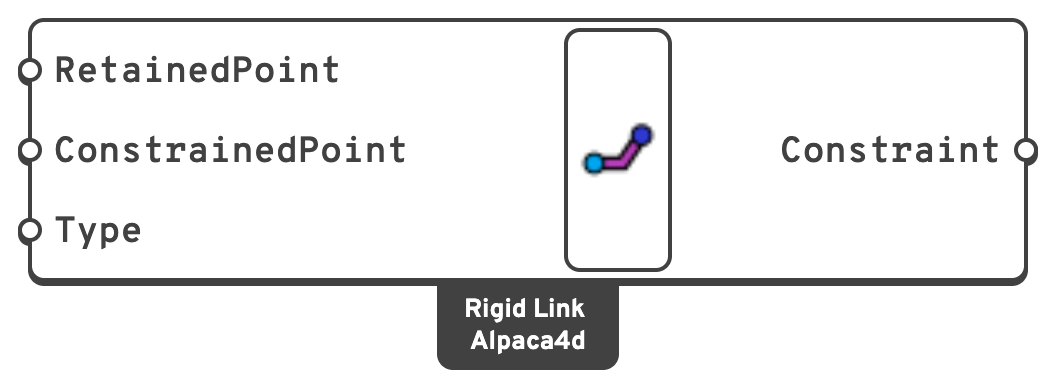
Inputs
RetainedPointThe node that leads, in m.
It keeps its own degrees of freedom.
ConstrainedPointThe node that follows, in
m, as a rigid body about the retained one.Type
beam or bar. Attach a Value List to the input and Alpaca4d fills it with both options.Outputs
ConstraintThe rigid link, for the Constraints input of Assemble.
The two types
| Type | Ties | Carries the offset |
|---|---|---|
beam | All six degrees of freedom, as a rigid body. | Yes: a rotation of the retained node also moves the constrained one by the offset between them. |
bar | The three translations only. | No: the translations are copied as they are, and no rotation is carried. |
📈 When to use it
Use it when
- Two nodes at different locations should move as one rigid body: a beam offset from a column centreline, a haunch, a rigid bracket, a stiff connection zone.
- You want the coupling without meshing a stiff element, which would need a stiffness chosen by hand and can wreck the conditioning of the system.
- You need a load or a mass out at an offset point: link it to the structure with
beam.
Do not use it when
- Many nodes on one floor need tying → a Rigid Diaphragm is one constraint instead of dozens.
- The connection has real flexibility, or is stiff in some directions and free in others → use a Spring Link.
- Only some degrees of freedom should read the same at both nodes, with the offset playing no part → use Equal DOF.
- The link would close a loop with another constraint. Over-constraining gives a singular matrix, and the solver failure will not point back here.
💡 Notes
- The constrained point does not have to be on an element. Assemble makes a node at each end of a constraint if there is none. With
beamthat node is fully held by the link; withbarits rotations are held by nothing, so something else has to hold them. - Both ends cannot be one node. Two points closer together than the Assemble Tolerance are one node, and Assemble stops with an error saying so rather than letting OpenSees crash on it.
🔗 Relation to OpenSees
tcl
rigidLink $type $retainedNodeTag $constrainedNodeTag$type is beam or bar. Node tags are found from the point coordinates within the Assemble tolerance.