
Support
A support holds a node. The Rigid type fixes the directions you choose; the Elastic and Compression Only types hold it through springs. Every type works along the axes of a plane, so a support can be axis-aligned or skewed — turned to an arbitrary plane, for an inclined roller or a support on a sloping face.
🔧 Grasshopper component
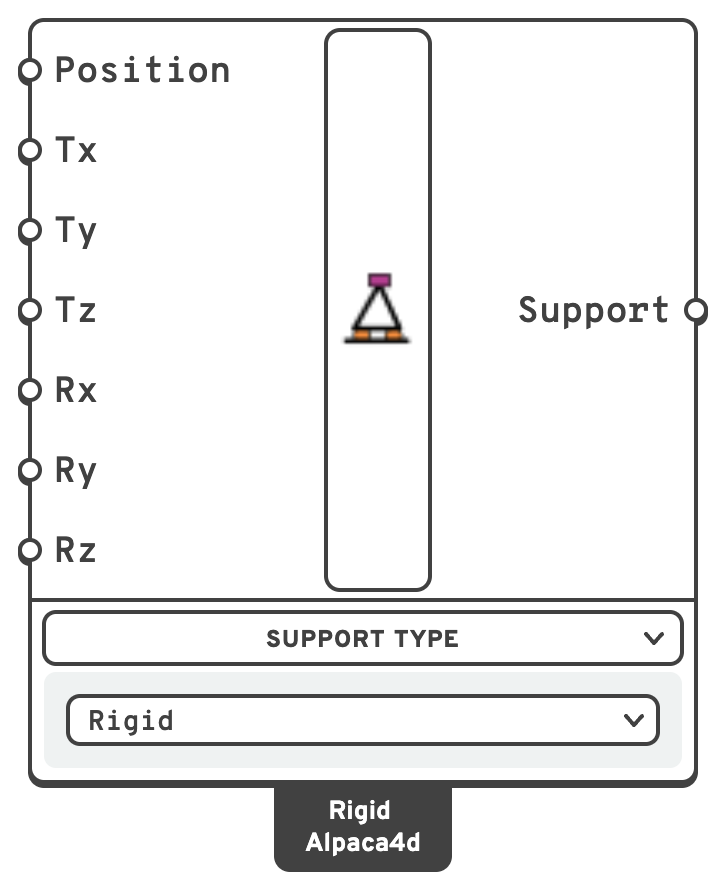
PositionWhere the support acts, in m.
TxTranslation along the support plane's X axis.
true = restrained.A point arriving on Position is cast to a world-aligned plane at that point, so a model built before planes were an option behaves exactly as it did.
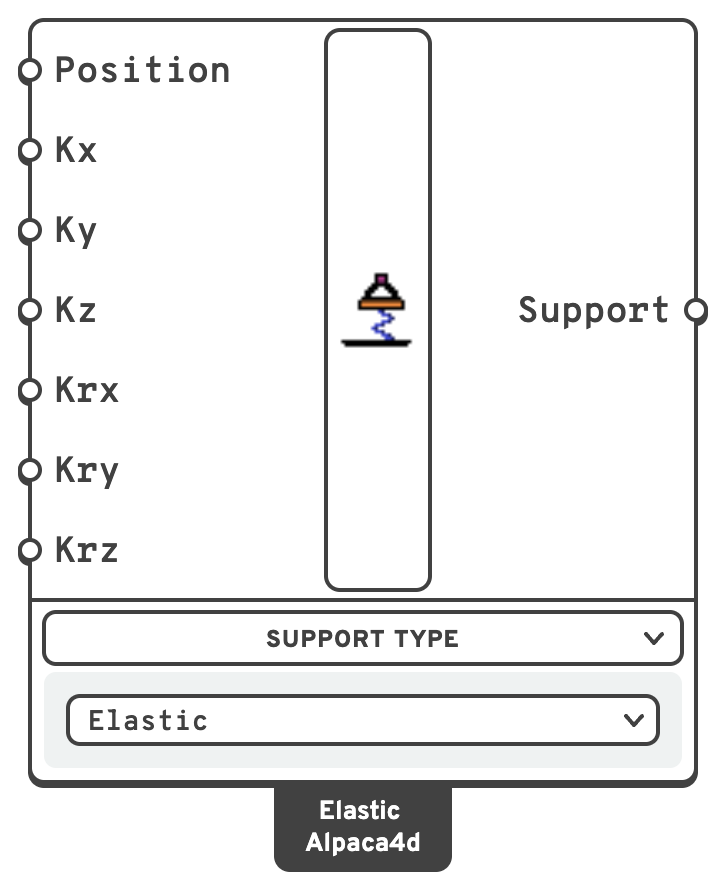
PositionWhere the support acts, in m.
KxStiffness along the plane's X axis, in kN/m.
kN/m.kN/m.kNm/rad.kNm/rad.kNm/rad.Give at least one stiffness: with none the support holds nothing, and the component warns. A negative stiffness is an error.
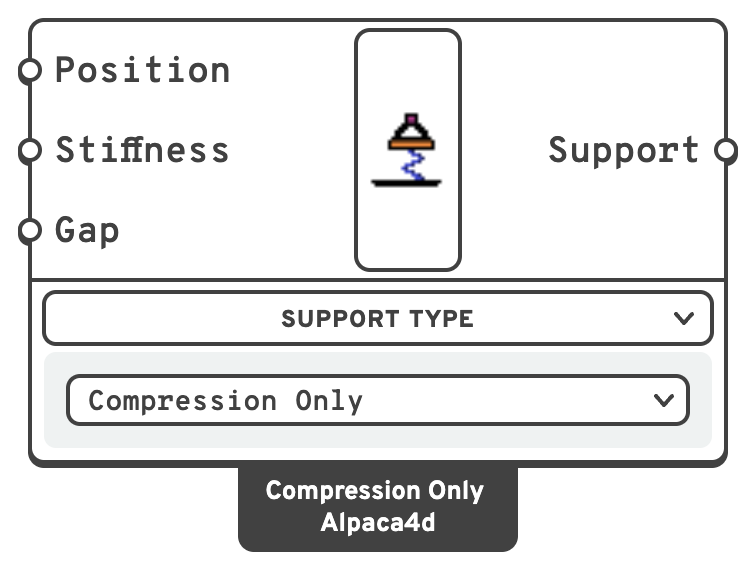
PositionWhere the support acts, in m.
kN/m. Left empty it is rigid: as stiff as the penalty Alpaca4d gives skewed supports.GapHow far the node moves into the support before it takes hold, in m.
A Compression Only support needs a non-linear analysis to let go: the Newton algorithm, in several steps. The component says so in a remark, and Run Analysis warns when the algorithm is Linear.
A switcher component. The Support Type menu selects the type:
- Rigid — the default. Fixes the node along and about the axes you choose.
- Elastic — a spring along or about each axis of the plane.
- Compression Only — holds the node along the plane's Z only while it pushes into the support, and lets it lift; after a gap, if there is one.
Note
Definitions saved before 0.12.0 have the older Support component, marked OLD on the canvas. It still works. Grasshopper's Upgrade Components… swaps it for this one on its Rigid type, with its wires and the values set on its inputs.
The seven presets
Seven common Rigid DOF patterns are recognised by name and drawn with their own symbol in Model View. Anything else, spring supports included, is drawn as a short text tag listing what the support holds.
| Preset | Tx | Ty | Tz | Rx | Ry | Rz |
|---|---|---|---|---|---|---|
| Rigid / Fixed | ✓ | ✓ | ✓ | ✓ | ✓ | ✓ |
| Hinged / Pinned | ✓ | ✓ | ✓ | |||
| Sliding in X and Y + Rz restraint | ✓ | ✓ | ||||
| Sliding in X + Rz restraint | ✓ | ✓ | ✓ | |||
| Sliding in Y + Rz restraint | ✓ | ✓ | ✓ | |||
| Sliding in Z and Y + Rz restraint | ✓ | ✓ | ||||
| Free |
💡 Springs beside a rigid support
Elastic and Compression Only never fix the node themselves: a direction without a spring is free. A Rigid support on the same point can hold what they leave free. A pinned bearing that can lift is a Compression Only support with a Rigid one holding Tx and Ty only.
Do not let the two act along the same direction. The rigid one would take the whole load there and the spring nothing, so Assemble warns when it happens.
Axis-aligned Rigid supports on one node are merged; skewed and spring supports never are. Each spring support gets a row of its own in Reaction Forces, with the spring's force. See Two supports on one node.
📈 When to use it
Use it when
- Anywhere the structure meets the ground or a stiffer neighbouring system.
- You need a roller on an incline, or a bearing on a sloping face — feed a rotated Plane rather than trying to fake it with constraints.
- The ground or the bearing gives way under load: a pile head, an elastomeric bearing → Elastic.
- The structure may lift off its bearing → Compression Only, with a Newton analysis.
Do not use it when
- You want two nodes of the model to move together rather than to be held still → use Rigid Link, Equal DOF or Rigid Diaphragm.
- The spring joins two parts of the model rather than one part and the ground → use a Spring Link.
🔗 Relation to OpenSees
Axis-aligned Rigid supports are a single point constraint, exact and free of any penalty:
fix $nodeTag $tx $ty $tz $rx $ry $rzSkewed Rigid supports are different. OpenSees has no notion of a nodal coordinate system — fix only ever speaks global DOFs — so the restraint is carried by a zeroLength element between the support node and a coincident node that is fixed outright:
uniaxialMaterial Elastic $springTag $k $eta $kNeg
node $auxTag $x $y $z
fix  $auxTag 1 1 1 1 1 1
element zeroLength $eleTag $auxTag $nodeTag -mat $springTag ... \
-dir $d1 $d2 ... -orient $xx $xy $xz $yx $yy $yz-orienthands the element the support plane, after which the-dirindices count along the plane's own axes: 1–3 translation, 4–6 rotation.- Directions left out of
-dircarry no stiffness at all, so a release along a local axis is exact. Only the restrained directions are a penalty. - The penalty stiffness is 10⁶ × the stiffest term in the model — recomputed per model from the element diagonals, so it is unit-independent and leaves the solver about ten digits of conditioning.
Spring supports are built the same way, skewed or not, with one material per spring:
| Type | Material |
|---|---|
| Elastic | uniaxialMaterial Elastic $tag $k 0 $k |
| Compression Only, no gap | uniaxialMaterial ENT $tag $k |
| Compression Only, with a gap | uniaxialMaterial ElasticPPGap $tag $k -1e30 -$gap |
The spring runs from the fixed node to the support's node, so its deformation is the node's movement along the plane's axis, and a node moving against Z compresses it. A Compression Only support left without a stiffness gets the penalty stiffness.
Note
For a skewed or spring support the reaction lands on the auxiliary node, because that is where the point constraint lives. Reaction Forces reads it back from there and reports it in the support's own axes, so this is invisible from Grasshopper.